
Remote IT support is technical assistance delivered through documented support, remote-session, endpoint, monitoring, and escalation processes. The viable scope depends on the systems, security requirements, hours of coverage, staffing model, and work that still requires an onsite visit. When a Windows user cannot establish the tunnel, use the VPN Error 809 troubleshooting guide to separate a client-profile issue from a firewall, NAT, network-path, or VPN-gateway issue before changing controls.
What do remote IT support services typically include?
Remote IT support covers far more than fixing a crashed computer. Certified technicians use remote desktop protocols, VPN access, and automation tools to maintain system health across your entire environment. The scope typically spans five core service areas.
- Proactive monitoring and maintenance. Technicians watch your servers, networks, and endpoints around the clock. They catch failing hardware, software conflicts, and performance drops before users notice anything wrong.
- Help desk and user support. Employees submit tickets by phone, email, or chat. A trained technician picks up the issue and resolves it remotely, often within the same session.
- Cybersecurity management. Providers apply encrypted connections, multi-factor authentication, and patch management to protect business data. Industry protocols from CompTIA and Microsoft guide how secure remote access is delivered.
- Backup and disaster recovery. Automated backups run on a set schedule. If data is lost or a system fails, recovery procedures restore operations with minimal disruption.
- Routine administration and platform support. This includes user account management, software licensing, email configuration, and vendor coordination for third-party platforms your business depends on.
Pro Tip: Ask any provider to walk you through their monitoring dashboard live during the sales process. A provider who cannot show you real-time data on a client environment is likely overselling their capabilities.
The breadth of these services means a single monthly agreement replaces what would otherwise require a full internal IT department. For SMBs without dedicated IT staff, that shift alone changes the economics of running a business.

How are remote IT support services priced?
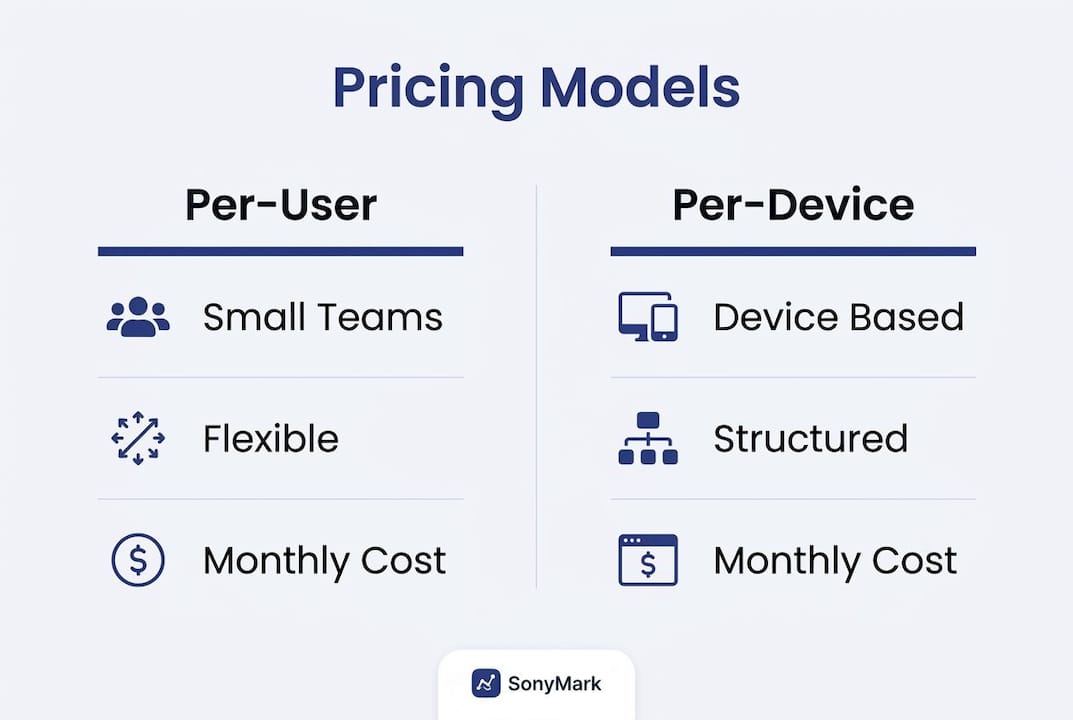
Pricing for remote helpdesk services follows two dominant structures in 2026: per-user and per-device. Hybrid structures combining both are used in 47% of mid-market contracts, giving businesses more flexibility as their environments grow.
| Pricing model | Best fit | Typical monthly cost |
|---|---|---|
| Per-user | Teams where each person uses multiple devices | $100–$250 per user |
| Per-device | Environments with shared workstations or kiosks | $30–$80 per device |
| Hybrid | Mixed environments with varied device-to-user ratios | Negotiated by scope |
| Break-fix (hourly) | Businesses with very low IT needs | $75–$150 remote, $100–$250 on-site |
Break-fix support charges by the hour and covers nothing proactively. It looks cheap until a server goes down on a Friday afternoon and you are waiting hours for a technician to respond.
Comprehensive managed IT support for SMBs averages $100–$250 per user per month. That range reflects differences in service scope, security depth, and response time guarantees. A 20-person company paying $150 per user spends $3,000 per month, which is a fraction of what a single full-time IT hire costs when you factor in salary, benefits, and training.
Pro Tip: Quotes below $80 per user per month almost always hide critical service gaps. Ask for a written exclusion list before signing anything. Common omissions include after-hours coverage, security essentials, and project work.
Tiered plans add another layer of choice. Entry-level tiers cover basic monitoring and help desk. Upper tiers add cybersecurity, compliance reporting, and dedicated account management. Match the tier to your actual risk profile, not just your budget.
What criteria should SMBs use to choose the right provider?
Choosing a remote IT support provider is a business decision, not a technology decision. The wrong partner costs more in lost productivity than a slightly higher monthly fee would have.
- Operational fit and service scope. Confirm the provider covers every platform your team uses, including cloud services, line-of-business applications, and any industry-specific software. Gaps in coverage create gaps in support.
- Security posture and remote access controls. Demand plain-English explanations of how technicians access your systems, what authentication methods they use, and how sessions are logged. Vague answers signal weak security practices.
- Communication and responsiveness. Test response times before you sign a contract. Send a support request during business hours and measure how long it takes to get a human response. Do the same after hours if your business operates outside a standard 9-to-5 schedule.
- Onboarding process and documentation standards. A provider with a defined onboarding checklist, documented network diagrams, and clear milestone timelines is one that has done this before. Providers who “figure it out as they go” create risk during the transition period.
- Sample reports and compliance evidence. Requesting sample reports and compliance documentation before signing reveals whether a provider actually delivers what they promise or just describes it well in a sales deck.
National providers with strong Network Operations Centers often outperform local reactive providers on resolution speed and compliance readiness. Location matters far less than the quality of the support stack behind the provider.
One underrated evaluation step: observe how the provider communicates when nothing is wrong. Poor communication during calm periods is a reliable signal of how they will behave during a crisis.
What is the ROI of investing in remote IT support services?
Evaluate the financial case with your own ticket volume, labor cost, outage impact, travel requirements, coverage hours, tooling, escalation rate, and contract price. Require separate response, restoration, and resolution definitions in the service-level agreement instead of assuming a universal support time or savings percentage.
| Performance metric | Remote IT support | Break-fix or internal hire |
|---|---|---|
| Response measurement | Defined by severity, coverage, and SLA | Depends on internal coverage or dispatch terms |
| Proactive monitoring | Continuous | Reactive only |
| Cybersecurity coverage | Included in plan | Additional cost |
| Predictable monthly cost | Yes | No |
Effective managed IT partnerships include defined escalation procedures, response time guarantees, and regular performance reporting. These elements are what separate a real partnership from a vendor relationship. Without them, you have no way to hold a provider accountable.
System stability compounds over time. Proactive monitoring catches issues before they become outages. Patch management closes security vulnerabilities before attackers find them. The result is a more reliable environment that requires less emergency intervention each quarter.
Pro Tip: Track three metrics monthly: average ticket resolution time, number of recurring issues, and system uptime percentage. If resolution times are rising or the same issues keep appearing, raise it with your provider immediately. Good providers welcome that conversation.
For businesses exploring the operational improvements managed IT delivers, the long-term value extends beyond cost savings. Stable systems let your team focus on work instead of workarounds. That productivity gain is real, even if it does not appear on an invoice.
Key Takeaways
Remote IT support services deliver the strongest ROI when businesses choose providers with clear communication standards, documented onboarding, and proactive monitoring built into the base plan.
| Point | Details |
|---|---|
| Cost comparison requires local inputs | Compare fully loaded labor, tools, coverage, onsite work, escalation, transition, and contract exclusions. |
| Pricing models vary by environment | Per-user, per-device, and hybrid plans each suit different business structures. |
| Low quotes carry hidden risks | Quotes below $80 per user often exclude security, after-hours coverage, and project work. |
| Response assumptions require testing | Review severity definitions, response, restoration, resolution, escalation, and onsite dispatch evidence. |
| Provider vetting is non-negotiable | Request sample reports, test response times, and get exclusion lists in writing before signing. |
What I have learned from watching SMBs choose IT partners
The biggest mistake I see small businesses make is treating IT support like a commodity purchase. They compare monthly prices, pick the lowest number, and sign a contract without reading the exclusions. Six months later, they are paying extra for after-hours coverage they assumed was included, or discovering their “cybersecurity” plan does not cover endpoint detection.
The second mistake is evaluating providers only during the sales process. A polished sales deck tells you nothing about how a provider behaves when your email server goes down at 7:00 PM on a Tuesday. The real test is how they communicate when nothing is wrong. Providers who send proactive updates, monthly reports, and check-in calls without being asked are the ones who will show up when it matters.
I have also seen businesses dismiss managed IT services for small businesses as something only larger companies need. That thinking is backwards. Small businesses are the most exposed. They carry real data, face real threats, and have the least capacity to recover from a serious incident. The businesses that invest in proper IT support before something goes wrong are the ones that keep operating when their competitors go dark.
The right provider does not just fix problems. They document your environment, track your risk posture, and tell you what is coming before it arrives. That is the standard worth holding out for.
— Ryan
How Rivell supports SMBs with managed remote IT
Rivell has spent over 25 years building managed IT programs specifically for small and medium-sized businesses across New Jersey. The approach centers on taking full ownership of your IT environment so your team never has to think about infrastructure.
Rivell’s managed IT services for small business include proactive network monitoring, server oversight, cybersecurity protection, and a dedicated consultant who knows your environment. Agreements are transparent, with no hidden fees and no surprise project invoices. Businesses in healthcare, professional services, and other regulated industries rely on Rivell for fast-response support and compliance-ready documentation. If you want IT support that treats your business like a priority rather than a ticket number, Rivell is worth a conversation.
FAQ
What are remote IT support services?
Remote IT support services are professional technical assistance delivered over the internet, using tools like remote desktop protocols and VPN connections. Providers resolve software issues, monitor systems, and manage cybersecurity without visiting your office.
How much do remote IT support services cost for SMBs?
Comprehensive remote IT support for small and medium-sized businesses typically costs $100–$250 per user per month. Break-fix hourly rates range from $75–$150 for remote work and $100–$250 for on-site visits, but those rates exclude proactive services.
How fast do remote IT providers resolve issues?
Resolution time depends on the issue, access, documentation, staffing, escalation path, vendor dependency, and whether onsite work is required. Ask providers for severity-specific response, restoration, and resolution evidence that matches the proposed hours of coverage.
What should I look for when choosing a remote IT provider?
Evaluate providers on security posture, response time guarantees, onboarding documentation, and communication practices. Request sample reports and a written exclusion list before signing any agreement to confirm what the plan actually covers.
Is remote IT support secure for my business data?
Reputable providers use encrypted connections, multi-factor authentication, and session logging to protect business data during remote access. Industry standards from CompTIA and Microsoft guide how secure remote assistance is delivered and audited.
