
If you searched for help with a server error and landed here, you’re in the right place. Rivell is a managed IT services company based in Sewell, NJ, supporting businesses across South Jersey with network management, infrastructure support, and fast response when things go wrong. Server errors are one of the most common issues we help clients troubleshoot, and this guide walks you through exactly what they are, what causes them, and how to fix them.
If you’ve ever stared at a screen that says “500 Internal Server Error” or “connection to server failed” right in the middle of the workday, you know how disruptive (and annoying!) it can be. These errors feel mysterious at first, but they almost always trace back to a handful of specific causes, and most of them have a pretty clear and straightforward fix.
What Is a 500 Internal Server Error?
A 500 Internal Server Error is the most common type of server-side error. It means something went wrong on the server, but the server itself can’t tell you exactly what. It’s basically a catch-all error message that signals a failure on the backend rather than on your device or browser.
Server errors fall under the 5xx category, which covers several related issues your team might run into. Understanding the difference between them matters because each one points to a different root cause.
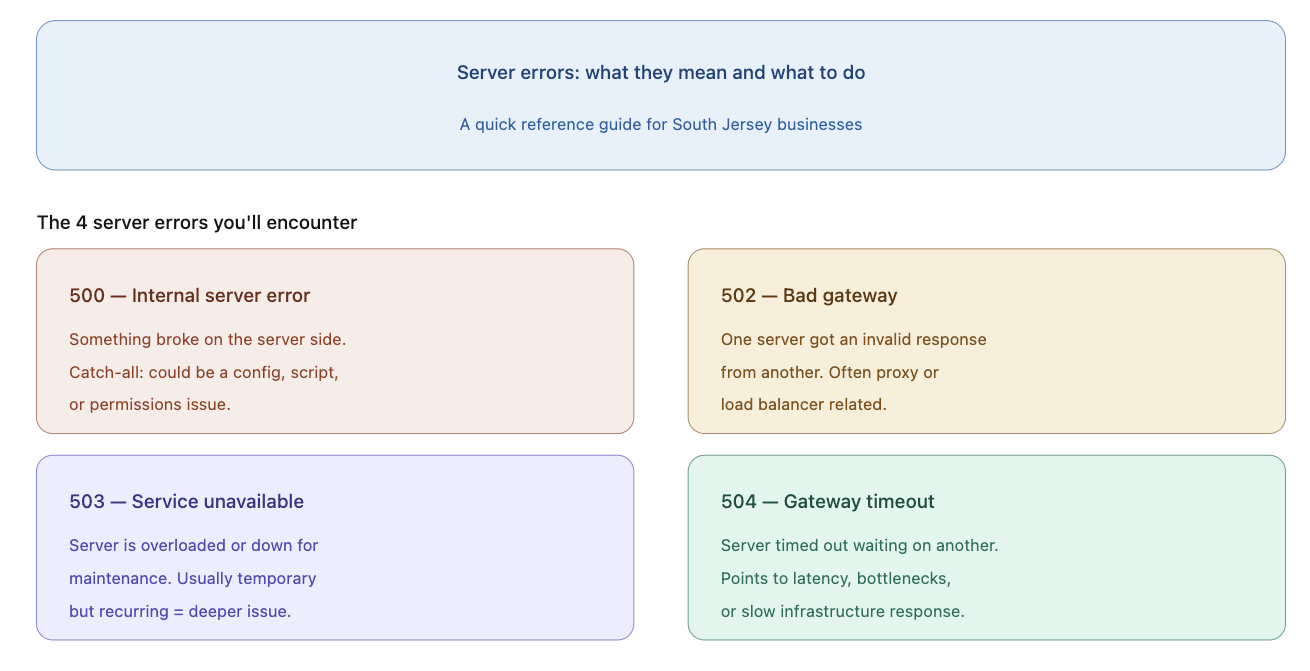
Types of 5xx Server Errors and What They Mean
500 Internal Server Error
This is the broadest of the bunch. It means the server encountered an unexpected condition that prevented it from completing the request. It could be a misconfigured server, a failed script, a permissions issue, or a software conflict. Because it’s so general, it can take some digging to identify the exact cause.
502 Bad Gateway
A 502 error happens when one server receives an invalid response from another server it’s communicating with. In a business environment, this often shows up when there’s a problem between your network and an upstream server, or when a proxy or load balancer is involved and something in that chain breaks down.
503 Service Unavailable
A 503 means the server is temporarily unable to handle the request, usually because it’s overloaded or down for maintenance. If your team suddenly can’t access a shared application or internal resource, a 503 is often the reason. It’s typically temporary, but if it keeps happening, there’s usually an underlying capacity or configuration issue worth addressing.
504 Gateway Timeout
A 504 error is similar to a 502 but specifically means that one server timed out while waiting for a response from another. This often points to slow server response times, network latency, or a bottleneck somewhere in your infrastructure. Businesses running complex applications or relying on multiple interconnected systems tend to see this one more than others.
What Usually Causes Server Errors?
Regardless of which 5xx error you’re seeing, most of them in a business environment are due to a few common reasons.
DNS Issues
DNS (Domain Name System) is basically the address book of your network. When DNS records are misconfigured or propagation breaks down, devices can’t locate the server they’re trying to reach, and connection failures follow quickly.
Firewall Misconfigurations
Firewalls protect your network, but when rules are misconfigured or updated without proper testing, they can block legitimate traffic and cut off access to your own servers. This is more common than most people realize, especially after a system update or network change.
Routing Issues
Routing issues occur when the path data takes between systems breaks down somewhere along the way. A misconfigured router, a failed network device, or infrastructure changes that weren’t fully accounted for can all trigger this.
Hardware or Software Failure
Sometimes it comes down to something more straightforward, like a server running out of storage, a crashed service that didn’t restart automatically, or a software update that introduced a conflict with an existing system.
How to Fix a 500 Internal Server Error. Troubleshooting Steps to Try First
Before calling your IT team, run through these quick checks. They take less than five minutes and rule out the most common surface-level causes.
- Restart your router and modem. Unplug both, wait 30 seconds, and plug them back in. This resolves a surprising number of connection issues.
- Restart the affected device. A reboot clears temporary glitches that can sometimes mimic server-side problems.
- Check your internet connection. See if other devices on the same network can connect normally. If nothing can, the issue is likely your connection or router rather than the server itself.
- Check if the issue is isolated. Is it affecting one person, one machine, or the whole office? If it’s everyone, you’re likely dealing with a network or server-level problem. If it’s just one person, it could be a device or account issue.
- Clear your browser cache. Sometimes a cached error page keeps showing up even after the server issue is resolved. Clear the cache and reload.
- Check the server logs. If you have access, server logs are the fastest way to identify what triggered a 500 error specifically. They won’t always be readable to non-technical staff, but if you can get to them, they tell the story quickly.
When to Stop Troubleshooting and Call Your IT Team
The steps above handle the obvious stuff, but server errors that persist past a basic restart almost always point to something deeper. DNS misconfigurations, firewall rule problems, gateway issues, and server-side failures are not things you want to poke around in without the right expertise. Getting it wrong can make the problem worse or introduce new vulnerabilities into your network.
If your team is losing productivity, if the error is affecting multiple users, or if this is happening repeatedly, that’s when you need a managed IT partner involved. At Rivell, we support businesses across South Jersey, including Cherry Hill, Voorhees, and Mount Laurel, with proactive infrastructure monitoring so these issues get caught before they become a full-blown outage, and fast response when something does go wrong.
Among the managed IT services Rivell provides to South Jersey businesses, you’ll find Cybersecurity, Data Backup and Disaster Recovery , Network Design and Installation, and more. Whatever your IT needs, we’ve got you covered.
Contact Rivell to schedule a consultation or call us at (609) 422 5900.