
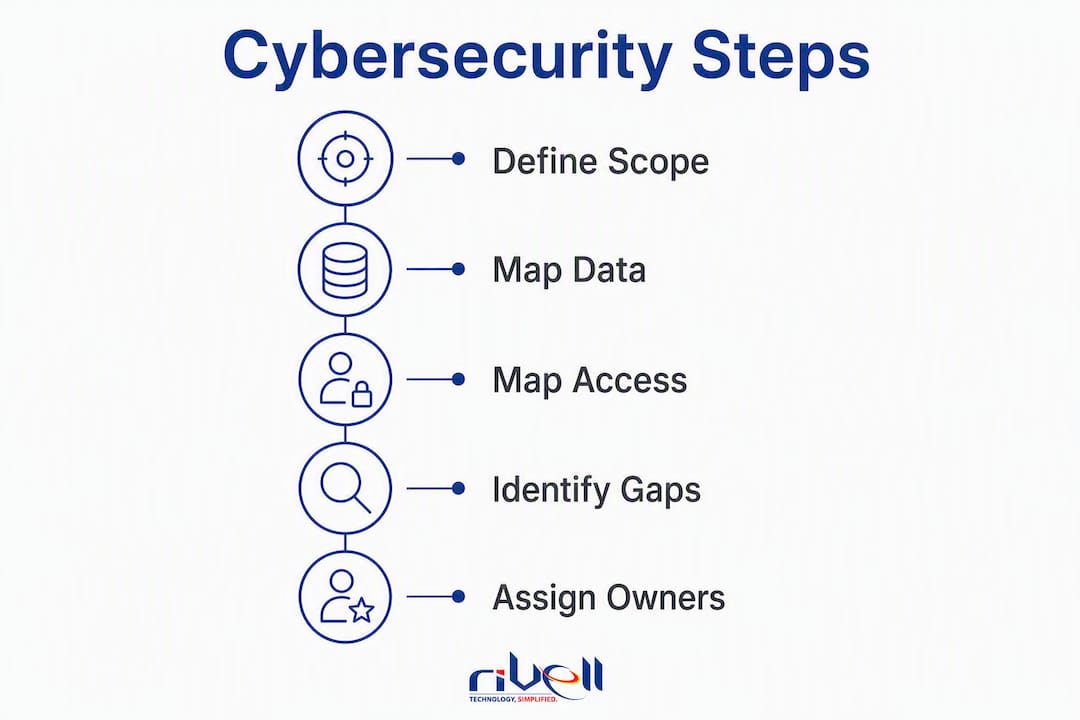
New Jersey businesses do not need a huge IT department to reduce the most common technology risks. They do need clear ownership, clean access controls, tested backups, secured Microsoft 365 settings, documented vendors, and a practical recovery plan.
This checklist is built for New Jersey owners, executives, office managers, practice managers, school business leaders, municipal administrators, and operations teams that need a realistic way to check whether their IT environment is ready for ransomware, account takeover, employee turnover, outages, vendor issues, and physical security gaps.
It is not a compliance certification. It is a working checklist you can use to find gaps, prioritize fixes, and decide whether your internal team or an outsourced IT provider should handle the next step. Teams with SOC 2 requirements can also use the SOC 2 readiness checklist to map control owners and evidence before a CPA audit.
Rivell supports New Jersey businesses with managed IT services, cybersecurity, Microsoft 365 support, cloud platforms, disaster recovery, VoIP, surveillance cameras, access control, commercial fire and burglar alarm systems with 24/7 monitoring, hardware procurement, application hosting, and commercial audio/video and PA systems.
Prefer a guided review? Use the free Rivell IT Assessment for ChatGPT to turn broad, sanitized answers into three practical next steps and questions for your current IT provider. Unknown answers are welcome.
Fast Self-Score
Score each section from 0 to 3.
0 = not in place
1 = partially in place
2 = mostly in place
3 = documented, tested, and actively managed
| Area | Score |
|---|---|
| Identity and MFA | 0-3 |
| Microsoft 365 and email security | 0-3 |
| Device and endpoint protection | 0-3 |
| Backup and disaster recovery | 0-3 |
| Network and Wi-Fi security | 0-3 |
| Physical security systems | 0-3 |
| Cloud, hosting, and vendor access | 0-3 |
| Employee training and incident response | 0-3 |
Score Guidance
| Total | Meaning |
|---|---|
| 0-8 | High risk. Start with MFA, backups, endpoint protection, and account cleanup. |
| 9-16 | Exposed. You likely have useful tools in place, but ownership, testing, or monitoring is incomplete. |
| 17-21 | Improving. Prioritize documentation, recurring reviews, and recovery testing. |
| 22-24 | Strong baseline. Keep testing, hardening, and validating against new threats. |
1. Identity and Access
Identity is where many attacks start. A clean identity environment makes phishing, stolen passwords, and employee turnover much less dangerous.
Check that:
- Multifactor authentication is required for all users, especially email, Microsoft 365, VPN, remote access, admin accounts, finance systems, and line-of-business applications.
- Admin accounts are separate from daily-use accounts.
- Former employees, vendors, contractors, and unused accounts are removed quickly.
- Users have the minimum access needed for their job.
- Shared passwords are removed or moved into a managed password system.
- Remote access requires MFA and is limited to approved users.
- Conditional access or location-based controls are reviewed where appropriate.
- Account lockout, sign-in risk alerts, and suspicious login review are enabled where available.
First fix: enable MFA everywhere attackers can reach from the internet.
2. Microsoft 365 and Email Security
For many New Jersey SMBs, Microsoft 365 is the front door to the business. Email compromise can lead to wire fraud, ransomware, data theft, and vendor impersonation.
Check that:
- MFA is enforced for every Microsoft 365 account.
- Legacy authentication is blocked.
- External forwarding rules are reviewed and restricted.
- Mailbox delegation and shared mailbox access are reviewed.
- SPF, DKIM, and DMARC are configured for the business domain.
- Users can report phishing from Outlook.
- Security alerts are routed to someone who actually reviews them.
- Microsoft 365 backup requirements are understood. Retention is not the same as a full backup strategy.
- Sensitive data sharing links are reviewed.
- Admin roles are limited and reviewed quarterly.
First fix: review MFA, mailbox forwarding, and domain email authentication.
3. Devices and Endpoint Protection
Laptops, desktops, servers, and mobile devices need more than basic antivirus. The goal is to know what exists, patch it, monitor it, and remove easy attacker paths.
Check that:
- Every company device is inventoried.
- Operating systems and third-party applications are patched.
- Endpoint protection or EDR is installed and monitored.
- Local administrator rights are limited.
- Disk encryption is enabled on laptops.
- Lost or stolen devices can be locked or wiped.
- Personal devices are controlled or blocked from sensitive business systems.
- Device retirement includes secure data removal.
- Security alerts are reviewed and escalated.
First fix: inventory devices and remove unnecessary local admin rights.
4. Backup and Disaster Recovery
Backups only matter if they restore. Disaster recovery only matters if the business knows what order to recover systems in.
Check that:
- Critical files, applications, servers, cloud data, and Microsoft 365 data are included in the backup plan.
- At least one backup copy is protected from ransomware.
- Restore tests happen on a documented schedule.
- Recovery time objectives and recovery point objectives are defined for key systems.
- Backup alerts go to someone who reviews failures.
- Vendor-hosted applications have documented export, backup, and recovery options.
- The business knows who can approve emergency recovery decisions.
- Disaster recovery documentation can be accessed even if the network is down.
First fix: run a restore test, then document what worked and what failed.
5. Network, Firewall, and Wi-Fi
A business network should be boring in the best possible way: documented, patched, monitored, segmented, and predictable.
Check that:
- Firewalls are supported, patched, and configured with current rules.
- Remote access is limited and requires MFA.
- Guest Wi-Fi is separated from business systems.
- Cameras, access control, phones, printers, and IoT devices are segmented where appropriate.
- Switches and wireless access points are documented.
- Default passwords are removed from network equipment.
- Network monitoring catches outages and suspicious behavior.
- Internet failover is considered for locations that cannot afford downtime.
First fix: separate guest Wi-Fi and non-business devices from core systems.
6. Physical Security Systems
Cybersecurity and physical security overlap. Cameras, access control, burglar alarms, fire alarms, PA systems, and network-connected devices all need proper installation, account management, monitoring, and maintenance.
Check that:
- Surveillance cameras are placed for business needs, not just coverage guesses.
- Camera systems have unique accounts, updated firmware, and secured remote access.
- Access control users are reviewed when employees leave.
- Door schedules, badge permissions, and emergency access rules are documented.
- Fire and burglar alarm systems are maintained and monitored by approved providers.
- Alarm escalation paths are current.
- PA and commercial audio/video systems are documented and supported.
- Physical security devices are segmented from core business systems where appropriate.
First fix: review who can access camera and alarm platforms, then remove stale users.
7. Cloud, Hosting, and Vendor Risk
Every vendor account is part of the IT environment. That includes payroll, CRM, accounting, industry software, website hosting, phones, camera systems, and cloud platforms.
Check that:
- A current list of critical vendors exists.
- Vendor admin access is assigned to named people, not generic accounts.
- MFA is enabled for vendor portals where available.
- Contracts document who owns backups, recovery, security notifications, and data exports.
- Cloud hosting has monitoring, patching, backups, and access control.
- Hardware procurement includes warranty, lifecycle, security, and compatibility review.
- Offboarding includes vendor portals and third-party systems.
- Critical vendor contacts are available during an outage.
First fix: build a list of every critical vendor and who has admin access.
8. Employees, Training, and Incident Response
Most incidents involve people at some point. Training helps, but a written response plan matters just as much.
Check that:
- Employees know how to report suspicious emails, texts, calls, and login prompts.
- Finance staff have a callback process for payment changes.
- New hires receive security basics during onboarding.
- Departing employees are removed from systems quickly.
- The business has a written incident response plan.
- Leadership knows who to call after a ransomware event, email compromise, lost device, or physical security incident.
- Incident response contacts are stored somewhere accessible if systems are down.
- A tabletop exercise is run at least annually.
First fix: write a one-page incident response contact list.
30-Day Fix Plan
| Week | Focus | Outcome |
|---|---|---|
| Week 1 | MFA, account cleanup, mailbox forwarding review | Reduce account takeover risk quickly. |
| Week 2 | Backup audit and restore test | Find recovery problems before an emergency. |
| Week 3 | Endpoint and network inventory | Know what needs patching, monitoring, and replacement. |
| Week 4 | Incident response plan and vendor access review | Make emergencies less chaotic and reduce third-party exposure. |
What To Ask An IT Provider
- How do you monitor endpoints, servers, backups, Microsoft 365, and network devices?
- What happens when an alert fires after hours?
- How often do you test restores?
- Do you document admin access, vendors, warranties, and network equipment?
- Can you support cybersecurity, Microsoft 365, VoIP, cameras, access control, alarms, and disaster recovery under one operating plan?
- How will you show what changed each month?
- What security issues are included, and what requires a separate project?
- How do you handle emergency response?
When To Bring In Help
- Nobody owns security alerts.
- MFA is incomplete.
- Backups are not tested.
- Former employees may still have access.
- Microsoft 365 settings have not been reviewed.
- The business has no written recovery plan.
- Cameras, access control, alarms, phones, and network equipment are managed separately with no documentation.
- Leadership cannot see what IT risk changed this month.
Rivell helps New Jersey organizations turn this checklist into a practical plan across managed IT, cybersecurity, Microsoft 365, cloud platforms, VoIP, physical security systems, disaster recovery, hardware procurement, application hosting, and commercial audio/video.
Contact Rivell to review your IT readiness.
Sources
- CISA Cyber Guidance for Small Businesses
- CISA Secure Your Business
- FTC Cybersecurity for Small Business
- NJCCIC Cybersecurity for Small and Medium-Sized Businesses
- NIST Cybersecurity Framework 2.0
FAQs
What should a New Jersey small business fix first?
Start with MFA, former-employee account cleanup, Microsoft 365 mailbox forwarding review, endpoint protection, and a tested backup restore. These usually reduce risk faster than larger projects.
Is Microsoft 365 retention the same as backup?
No. Retention can help with some recovery needs, but businesses should confirm whether they need a separate Microsoft 365 backup strategy for mailboxes, SharePoint, OneDrive, and Teams data.
How often should backups be tested?
Critical systems should have scheduled restore testing. The exact cadence depends on business risk, compliance needs, recovery requirements, and how often systems change.
Do physical security systems affect cybersecurity?
Yes. Cameras, access control systems, alarm platforms, phones, and PA systems are often connected to the network. They need account controls, secure remote access, firmware maintenance, and proper segmentation.
Can Rivell review this checklist with our business?
Yes. Rivell can review the checklist with New Jersey organizations and help prioritize managed IT, cybersecurity, cloud, backup, VoIP, and physical security improvements.
