
Outsource Tier 1 and high-volume Tier 2 help desk work to a co-managed or blended provider that delivers AI-assisted, 24/7 support with documented SLAs. That is the recommendation. Not because it is the cheapest option on paper, but because it converts unpredictable staffing costs and inconsistent response times into a measurable, contractually enforceable service.
Here is what to do next:
- Run a quick diagnostic. Pull your last 90 days of ticket data: volume by category, average resolution time, and reopen rate. That baseline is what you will hold a vendor against.
- Scope a 30/60/90 pilot. Start with Tier 1 (password resets, onboarding/offboarding, basic app support). Measure MTTR, first-contact resolution, and user satisfaction at day 30, 60, and 90 before committing to full scope.
- Request three documents from every vendor before a second call: a sample SLA with defined escalation thresholds, a written onboarding plan with milestones, and a current SOC 2 Type II report or ISO 27001 certificate.
Reject any proposal that claims “24/7 support” without specifying response-time commitments by priority level. Reject any vendor that cannot name their escalation path to L3 or that declines to sign measurable SLAs. Those are not negotiating positions; they are structural gaps that will cost you later.
Table of Contents
- What does IT help desk outsourcing actually cover?
- Why outsourcing your help desk pays off faster than you expect
- Which service model fits your organization?
- What capabilities should you demand from a help desk provider?
- Who owns security when you outsource the help desk?
- What should your onboarding timeline and SLAs look like?
- How much does outsourcing a help desk cost?
- How do you choose the right outsourcing partner?
- Implementation checklist for the first 30/60/90 days
- Why Rivell is a proven partner for help desk outsourcing
- Key Takeaways
- The part most outsourcing guides skip
- Ready to talk about what a help desk pilot looks like for your business?
- Useful sources for further research
What does IT help desk outsourcing actually cover?
IT help desk outsourcing means contracting a third-party provider to handle employee-facing technical support, typically everything from Tier 1 triage through Tier 2 troubleshooting, under a defined scope and SLA. It is not the same as managed IT, which covers proactive infrastructure monitoring, patching, and strategic oversight. It is also not break/fix, which is reactive and billed hourly when something fails.
What is commonly outsourced:
- Password resets, account lockouts, and MFA enrollment
- Employee onboarding and offboarding (device provisioning, access setup)
- Ticket triage and routing
- Device troubleshooting (laptops, printers, peripherals)
- Basic application support (Microsoft 365, collaboration tools, and documented VPN Error 809 troubleshooting)
- Self-service portal management and knowledge base maintenance
What typically stays internal:
- Security governance and policy authority
- Privileged access decisions and identity management strategy
- L3 application engineering and custom software support
- Vendor contract negotiations and compliance oversight
Operational channels in a modern outsourced help desk include phone, live chat, email, ticketing portal, and self-service. Omnichannel coverage matters because employees will use whichever channel is fastest, and a vendor that only handles email tickets will create bottlenecks. The difference between help desk and IT support is worth understanding before you scope a contract, since vendors define these terms differently.
Pricing at a high level runs three ways: per ticket, per hour, or a fixed monthly fee per dedicated agent. Detailed ranges are in the pricing section below, but the model you choose shapes everything from cost predictability to vendor incentives.
Help desk functions are among the easiest to outsource first because workloads are predictable and results are measurable within 30–90 days.
Why outsourcing your help desk pays off faster than you expect
The financial case for outsourcing IT support services is straightforward once you account for the full cost of running an in-house team. Salary is the visible line item. Recruiting, training, benefits, and turnover are not.
Primary benefits:
- Cost predictability. A fixed monthly fee replaces variable staffing costs, overtime, and unplanned recruiting expenses.
- Extended coverage. Most small and mid-market internal teams cannot staff evenings, weekends, or holidays without significant cost. An outsourced partner absorbs that burden.
- Faster MTTR. Dedicated Tier 1 agents with documented runbooks resolve common issues faster than generalist internal staff juggling multiple priorities.
- Freed internal capacity. When your internal IT team stops handling password resets, they work on infrastructure, security, and projects that actually move the business forward.
- Access to tooling. Enterprise-grade ITSM platforms, remote support tools, and AI-assisted triage come bundled with most managed help desk contracts.
Compare the staffing models with your own ticket volume, coverage hours, salary and benefits, recruiting and onboarding cost, management time, tooling, escalation needs, vendor price, and service exclusions. Outsourcing can make some costs more predictable, but the result depends on the contracted scope and retained internal responsibilities.
An outsourced model changes the mix of labor, tooling, management, transition, escalation, travel, and contract costs. Build the comparison from the organization’s current demand and the vendor’s complete scope instead of applying a generic savings range.
Decision metric: Build the comparison from current ticket demand, fully loaded internal labor, tooling, coverage, escalation, transition, vendor-management, and contract costs. Do not assume a generic turnover or savings percentage applies to your organization.
Pro Tip: In the first 90 days of any outsourcing engagement, track four metrics weekly: ticket volume by category, mean time to resolution (MTTR), ticket reopen rate, and a user satisfaction sample (even a five-question pulse survey). If MTTR is not improving by day 60, the knowledge transfer is incomplete and needs to be addressed before full cutover.
The benefits of managed IT services extend beyond the help desk, but the help desk is where ROI shows up fastest because the metrics are immediate and unambiguous.
Which service model fits your organization?
The engagement model you choose determines how much control you keep, how much risk you transfer, and what the vendor is actually accountable for. There is no universally correct answer, but there is a right answer for your situation.
Co-managed. Your internal IT team retains ownership of strategy, security governance, and L3 escalation. The vendor handles Tier 1 volume, after-hours coverage, and routine Tier 2. This is the most common model for organizations with one to three internal IT staff who are drowning in tickets. It gives relief without surrendering control.
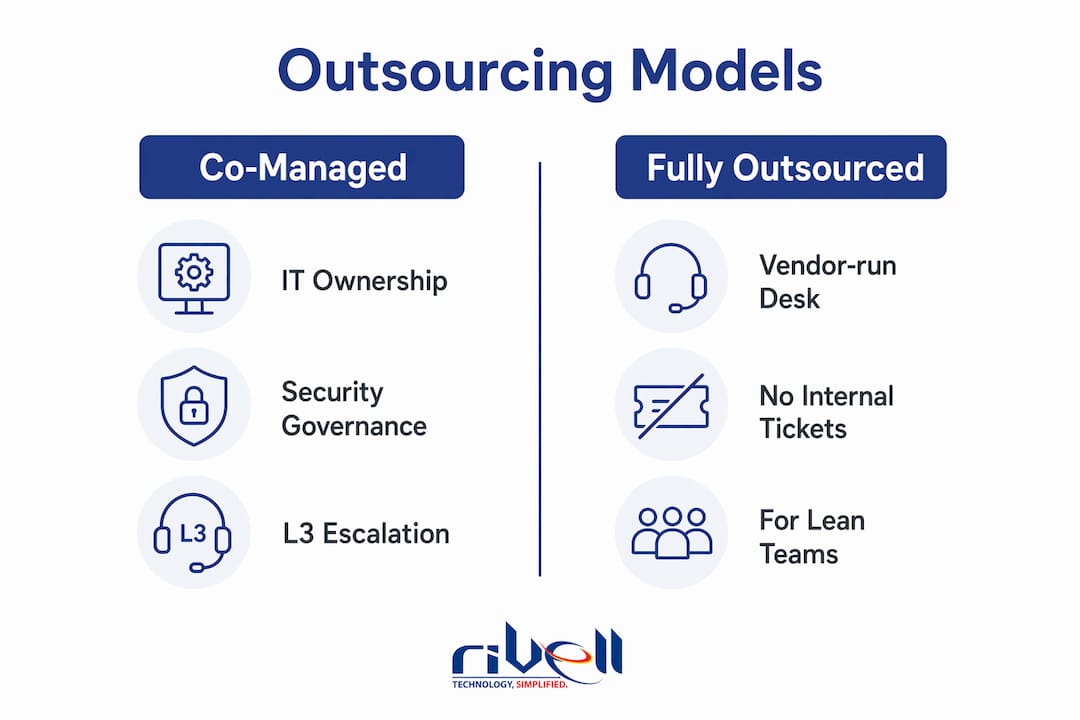
Fully outsourced. The vendor runs the entire help desk function. No internal IT staff handles tickets. This fits lean organizations with no dedicated IT headcount, or those that have made a deliberate decision to redirect internal resources entirely to strategic work.
Blended/hybrid. Internal staff handle complex or sensitive tickets (regulated data, executive support, custom applications) while the vendor handles volume. This works well for healthcare practices and law firms where certain support interactions carry compliance implications.
Overflow/seasonal. The vendor handles ticket spikes during peak periods, product launches, or staff onboarding waves. Useful for high-growth firms or businesses with predictable seasonal demand.
Follow-the-sun. Work is handed off across time zones so tickets are always handled during business hours somewhere. This suits distributed enterprises with offices across multiple regions or countries. Successful enterprise outsourcing engagements typically include multiple delivery locations and bench capacity to provide redundancy, which is what makes follow-the-sun operationally reliable rather than just a marketing claim.
Checklist for picking the right model:
- Count your current internal IT headcount and what percentage of their time goes to Tier 1 tickets.
- Identify your coverage gaps: evenings, weekends, holidays, and time zones.
- List any compliance requirements (HIPAA, SOC 2, state privacy laws) that affect who can touch certain data.
- Determine your tolerance for vendor access to internal systems and data.
- Decide whether you need onsite escalation capability or whether remote-only support is acceptable.
- Set a budget ceiling and compare it against the per-ticket and per-agent pricing models in the next section.
For more on how co-managed arrangements work in practice, the co-managed IT services guide covers the operational split in detail.
What capabilities should you demand from a help desk provider?
Features listed in a proposal are not the same as capabilities that affect your SLA performance. Here is what actually matters and why.

Multi-channel intake. Phone, chat, email, portal, and self-service. If a vendor only supports two of these, your employees will find workarounds that bypass the ticketing system entirely, making reporting useless.
AI-assisted triage and knowledge base. AI triage reduces average handling time by routing tickets to the right tier and suggesting resolutions before an agent picks up. The catch: it only works if the knowledge base is built and maintained. Ask vendors what their KB article count is, how often articles are reviewed, and who owns updates after onboarding.
Remote support tooling. Require approved remote-access tools, named access roles, multi-factor authentication, session controls, logging, retention, review ownership, and offboarding. Determine whether recording is required or permitted by the organization’s contracts, policies, regulatory obligations, and privacy requirements, then document that decision.
ITSM platform experience. Your vendor should have documented experience with ServiceNow, Jira Service Management, Zendesk, or Freshservice. Ideally, they work within your existing platform rather than requiring you to migrate to theirs.
Integration checklist:
- Single sign-on (SSO) integration with your identity provider
- Directory read-only access (Active Directory or Azure AD) for user lookups
- Ticketing API for bidirectional sync if you run a separate internal ITSM
- Asset inventory sync so agents know device specs before they pick up a call
- Reporting dashboards with role-based access so your team can pull data without asking the vendor
Pro Tip: When a vendor demos their AI triage capability, ask for a before-and-after comparison: average handling time before AI implementation versus after, and KB coverage percentage (what share of ticket categories have a documented resolution path). A vendor who cannot produce those numbers is either not using AI meaningfully or does not measure it.
The outsourced IT support guide covers integration requirements in more depth, particularly for organizations running hybrid cloud environments.
Who owns security when you outsource the help desk?
The short answer: you do. Outsourcing execution does not transfer compliance liability or governance authority. Your leadership retains responsibility for access decisions, policy, and regulatory compliance. The vendor operates under explicit contractual controls.
Minimum security proofs to request before signing:
- SOC 2 Type II report (current, covering the specific systems that will support your environment)
- ISO 27001 certificate (if applicable to your industry or client requirements)
- HIPAA readiness documentation (required for healthcare clients)
- Penetration test summary from the past 12 months
- Written confirmation that vendor technicians use MFA and role-based access controls (RBAC)
Recommended contract clauses:
- Defined access scopes: exactly which systems, directories, and data the vendor can touch
- Data handling procedures: where data is stored, how long it is retained, and whether it crosses borders
- Incident notification timelines: how quickly the vendor must notify you of a breach or suspected breach (48 hours is a reasonable minimum)
- Rights to audit: your right to request access logs, session recordings, and compliance documentation at any time
- Subcontracting disclosure: written requirement to disclose any third party that handles your tickets or accesses your systems
On privileged access: structure vendor access as least-privilege from day one. Technicians should have read-only directory access for lookups and scoped administrative rights only for the specific tasks they perform. All remote sessions should be recorded. Privileged access management (PAM) tools like CyberArk or BeyondTrust can enforce this at the session level. This is not a nice-to-have for healthcare or legal clients; it is a baseline requirement.
One frequently overlooked risk: vendors may accept calls in one country but resolve tickets in another. Require written disclosure of where work is performed and whether subcontracting is permitted. For US-based organizations handling sensitive data, foreign access risk is a real compliance consideration, not a theoretical one.
What should your onboarding timeline and SLAs look like?
Onboarding is where most outsourcing engagements succeed or fail. A vendor with no written onboarding plan is a vendor who will improvise, and improvisation during a knowledge transfer creates gaps that show up as missed SLAs three months later.
30/60/90 onboarding phases:
- Days 1–30 (Discovery and security baseline). Complete environment inventory (devices, users, applications, network topology). Establish vendor access with least-privilege controls. Document existing ticket categories and resolution runbooks. Conduct security baseline audit.
- Days 31–60 (Pilot and knowledge transfer). Run parallel support: vendor handles Tier 1 volume while internal staff remain available for escalation. Build and validate the knowledge base. Measure MTTR, FCR, and reopen rate against baseline.
- Days 61–90 (Full transition and optimization). Vendor assumes full Tier 1 responsibility. Internal staff transition to strategic work. Weekly reporting cadence established. SLA performance reviewed against contractual targets.
SLA metrics to require:
SLA clock definitions are routinely manipulated. Require separate time thresholds for acknowledgment, escalation to L2/L3, and final resolution. An aggregate “resolution time” metric can look good while hiding a broken escalation path.
| Metric | SMB Target | Mid-Market Target | Enterprise Target |
|---|---|---|---|
| First response (P1 critical) | — | — | 5 minutes |
| First response (P2 high) | 1 hour | 30 minutes | — |
| First response (P3 standard) | 4 hours | 2 hours | 1 hour |
| Time to resolution (P1) | 4 hours | 2 hours | 1 hour |
| Time to resolution (P3) | 24 hours | 8 hours | 4 hours |
| Ticket reopen rate | — | Under 8% | Under 5% |
| MTTR (all priorities) | Under 6 hours | Under 4 hours | Under 2 hours |
Validate SLA claims during the pilot by requesting access to the vendor’s historical reporting dashboard, not just a summary they prepare for you. Ask to walk through a live incident from ticket creation to resolution. The gap between what a vendor reports and what actually happened is often visible in the raw logs.
How much does outsourcing a help desk cost?
Pricing models differ in how they align vendor incentives with your outcomes. Understanding the structure matters as much as the number.

Per-ticket pricing ($6–$40 per ticket) works well for organizations with predictable, low-to-moderate ticket volume. The risk: vendors have no incentive to reduce ticket volume, and a spike in incidents can blow your monthly budget.
Per-hour pricing ($8–$60 per hour) suits project-based or overflow engagements. It is the least predictable model for ongoing support and creates the same incentive misalignment as break/fix.
Dedicated agent (FTE-equivalent) ($924–$4,500+ per month per agent) gives you consistent capacity and aligns vendor incentives with resolution quality rather than ticket count. This is the most common model for mid-market and enterprise engagements.
Fixed monthly managed fee covers a defined scope at a flat rate. Managed services operate as ongoing, proactive relationships with fixed monthly pricing, which is what makes budget forecasting reliable.
Typical small and mid-market monthly spend varies widely depending on scope and geography, with setup fees of $1,500–$5,000. Geography and ticket complexity shift those ranges significantly; US-based agents cost more than offshore, and regulated industries (healthcare, legal) carry compliance overhead that adds to base pricing.
Hidden costs to watch for:
- Platform or seat licenses billed separately from the service fee
- Premium channel surcharges (phone support priced above chat or email)
- After-hours premiums on per-ticket or per-hour contracts
- Onboarding and setup fees not included in the monthly rate
- L3 escalation billed at a separate hourly rate
- Data migration costs if you are moving from one ITSM to another
- Subcontracting fees when the vendor passes work to a third party
Cost-comparison formula: Normalized monthly cost = base fee + (expected monthly tickets × per-ticket rate) + known add-ons. Run this calculation for each vendor proposal using your actual ticket volume from the last 90 days. It will surface proposals that look cheap at the base rate but are expensive at your actual volume.
For a detailed look at how managed IT pricing compares to in-house staffing costs, Rivell’s pricing breakdown is worth reviewing before you finalize a budget.
How do you choose the right outsourcing partner?
Vendor selection is where most organizations make avoidable mistakes, usually by overweighting price and underweighting escalation quality and security posture. A weighted scorecard and short pilot are the two most reliable tools for making a defensible decision.
Scorecard template:
| Evaluation Criterion | Weight | Vendor A Score (1–5) | Vendor B Score (1–5) | Weighted Score A | Weighted Score B |
|---|---|---|---|---|---|
| Security posture (SOC 2, HIPAA, access controls) | 25% | ||||
| SLA quality (definitions, escalation thresholds, credits) | 20% | ||||
| Cultural and communication fit | 5% |
Must-ask vendor questions:
- What is your bench capacity if an assigned agent is unavailable?
- Can you provide technician continuity metrics (average agent tenure, turnover rate)?
- Who performs the work: your employees or subcontractors? If subcontractors, who are they?
- What does your escalation path to L3 look like, and what is the SLA for that handoff?
- Can we see a sample onboarding plan with milestone dates?
- What happens to our data and documentation if we terminate the contract?
Red flags:
- “24/7 support” with no response-time commitments by priority level
- Inability to produce a current SOC 2 Type II report
- No pilot option or unwillingness to sign measurable SLAs before full contract
- Vague escalation path (“we escalate to our senior team”)
- Subcontracting disclosed only in fine print
- Slow response during the sales cycle (a reliable predictor of slow support after signing)
The outsourcing checklist from Altiam CX is a practical companion resource for running vendor evaluation in parallel with this scorecard. If you are evaluating whether your current provider is worth keeping, these signs it is time to switch are worth reviewing before you start the RFP process.
Implementation checklist for the first 30/60/90 days
Before you sign:
- Confirm the vendor carries professional liability and cyber liability insurance with limits appropriate to your industry.
- Verify audit rights are written into the contract, not just referenced in a policy document.
- Get subcontracting policy in writing: who can touch your environment and under what conditions.
- Request proof of backup and restore capability: ask for a documented restore test from the past 90 days.
- Confirm offboarding terms: how passwords, licenses, and documentation are returned if you terminate.
Days 1–30 (Discovery and security baseline):
- Complete full environment inventory: users, devices, applications, network topology.
- Establish vendor access with least-privilege controls and session recording enabled.
- Document existing ticket categories, volumes, and resolution runbooks.
- Conduct security baseline audit and remediate any gaps before vendor access goes live.
- Set up reporting dashboards with role-based access for your internal stakeholders.
Days 31–60 (Pilot and knowledge transfer):
- Run parallel support: vendor handles Tier 1 while internal staff remain available for escalation.
- Build and validate the knowledge base against your top 20 ticket categories.
- Measure MTTR, FCR, and reopen rate weekly against your pre-outsourcing baseline.
- Conduct a mid-pilot review at day 45: address any knowledge gaps or escalation failures before full cutover.
Days 61–90 (Full transition and optimization):
- Vendor assumes full Tier 1 responsibility; internal staff transition to strategic work.
- Lock down ticket templates, escalation matrices, and contact lists.
- Establish weekly reporting cadence and monthly SLA review meeting.
- Define KB ownership and update cadence: who reviews articles, how often, and what triggers an update.
Internal stakeholder responsibilities:
- HR: Provide access provisioning and deprovisioning workflows; confirm onboarding/offboarding triggers.
- Legal: Review and approve contract language, particularly data handling, audit rights, and subcontracting clauses.
- Finance: Confirm billing model, invoice cadence, and credit/remedy terms for SLA failures.
- Internal IT: Commit subject-matter expert availability for knowledge transfer sessions during days 1–60.
Why Rivell is a proven partner for help desk outsourcing
Rivell LLC has over 25 years of experience delivering managed IT services to businesses across New Jersey, including healthcare providers, law firms, and professional services organizations that operate under strict compliance requirements.
Rivell’s help desk support is part of a fully integrated managed IT model that includes continuous system monitoring, network management, server oversight, cybersecurity protection, Microsoft 365 administration, cloud management, data backup and disaster recovery, and VoIP solutions. That integration matters because help desk issues rarely exist in isolation. A ticket about a slow application is often a network or server issue in disguise, and a provider who only sees the ticket misses the root cause.
What Rivell brings to a help desk engagement:
- Proactive monitoring that catches issues before they generate tickets
- Compliance-aware support for HIPAA-regulated healthcare clients and legal practices
- Onsite and remote support capability across New Jersey
- Cybersecurity controls built into the support model, not sold as an add-on
- A client-centric approach with direct access to senior engineers, not a tiered call center
For healthcare practices and professional services firms in New Jersey, Rivell’s outsourced IT support in New Jersey page outlines the specific security controls and governance structure that regulated clients require.
In an initial conversation with Rivell, request a pilot scope proposal, a sample SLA with defined escalation thresholds, proof of current security certifications, and a written 30/60/90 onboarding timeline. Those four documents tell you everything you need to know about whether a provider is operationally ready.
Key Takeaways
Outsourcing your IT help desk to a co-managed, AI-assisted provider with documented SLAs and a structured 30/60/90 onboarding plan is the fastest path to cost predictability and measurable support quality improvement.
| Point | Details |
|---|---|
| Start with a pilot scope | Outsource Tier 1 first; measure MTTR, FCR, and reopen rate at day 30, 60, and 90 before expanding scope. |
| Staffing continuity belongs in the model | Compare recruiting, onboarding, backup coverage, management, vendor price, transition, and retained internal ownership. |
| SLA clock definitions matter | Require separate thresholds for acknowledgment, L2/L3 escalation, and final resolution — aggregate metrics hide broken escalation paths. |
| Pricing ranges vary by model | Per-ticket runs $6–$40; dedicated agents run $924–$4,500+ per month. |
| Rivell for NJ businesses | Rivell provides integrated managed help desk support with cybersecurity controls and compliance-aware service for healthcare and professional services clients across New Jersey. |
The part most outsourcing guides skip
The biggest failure mode in IT help desk outsourcing is not a bad vendor. It is a good vendor dropped into an organization that has not done the internal work first.
The pattern is consistent: a business signs a contract, hands over ticket routing, and expects the vendor to figure out the environment. The vendor does their best, but without a complete knowledge transfer, documented runbooks, and internal stakeholder buy-in, the first 60 days are chaos. Tickets get misrouted. Escalations go to the wrong person. Internal IT staff, feeling displaced, stop sharing institutional knowledge. The vendor’s SLA numbers look acceptable, but user satisfaction tanks.
The fix is not complicated, but it requires organizational honesty. Internal IT staff need to be treated as partners in the transition, not bystanders. Their knowledge of the environment is the vendor’s most valuable onboarding asset, and if they feel threatened by the outsourcing decision, that knowledge does not transfer. Define the vendor’s role explicitly as handling predictable Tier 1 volume so internal staff are freed for strategic work. That framing changes the dynamic entirely.
Timing matters too. A realistic outsourcing engagement takes 60–90 days to stabilize, not two weeks. Organizations that set that expectation internally before signing have dramatically better outcomes than those that promise the board a fixed SLA on day one.
Ready to talk about what a help desk pilot looks like for your business?
Rivell works with small businesses, healthcare practices, and professional services firms across New Jersey that need reliable, compliance-aware IT support without building a full internal team. The difference from a generic help desk vendor: Rivell’s support is integrated with proactive monitoring, cybersecurity, and infrastructure management, so the team resolving your tickets is the same team that knows your environment.
Getting started is straightforward. Contact Rivell and request four things: a pilot scope proposal scoped to your Tier 1 ticket volume, a sample SLA with defined response and escalation thresholds, proof of current security certifications, and a written 30/60/90 onboarding timeline. Those documents tell you whether the engagement is operationally ready before you sign anything.
Rivell’s managed IT services for small business page covers the full service scope. If you want to understand what the engagement looks like before a conversation, that is the right place to start.
Useful sources for further research
These are the primary sources used to build this article. Use them during vendor evaluation to verify specific claims, SLA definitions, and pricing benchmarks.
- Zenkins: IT Service Desk Outsourcing for Enterprises — Discusses cost, turnover, and redundancy assumptions for enterprise outsourcing engagements. Treat third-party ranges as vendor-evaluation inputs, not as a forecast for your organization.
- Kore BPO: IT Outsourcing for Small Businesses — Detailed pricing bands for per-ticket, per-hour, and dedicated agent models. Use this to validate whether a vendor’s pricing is within market range.
- Abacus BPO: IT Help Desk Outsourcing — Explains SLA clock definitions and why “24/7” claims require verification by shift-level KPIs. Essential reading before finalizing contract language.
- GetHelpt: IT Vendor and Partner Selection — Covers the weighted scorecard and pilot approach for small help desk teams. Use as a companion to the scorecard template in this article.
- Supportbench: Evaluating Foreign Access Risk — Explains jurisdictional risk when vendor work is performed outside the US. Relevant for organizations handling regulated data or government contracts.
- GetHelpt: US-Based Help Desk and Offshore Risk — Covers subcontracting disclosure requirements and how to verify where ticket resolution actually occurs.
