
You can cut most of your risk with five controls: multi-factor authentication, an asset inventory, timely patching with endpoint protection, tested backups, and basic logging. These five address the way small businesses actually get breached, according to CISA’s small business guidance — not the exotic attacks you read about, but stolen passwords, unpatched software, and one employee clicking the wrong link. If you do nothing else this month, mandate MFA on email and financial accounts, and confirm your backups actually restore.
Key Takeaways
Small business network security comes down to five prioritized controls, MFA, inventory, patching with endpoint protection, tested backups, and logging, implemented in that order.
| Point | Details |
|---|---|
| Start with MFA | Mandate multi-factor authentication on email, banking, and admin accounts within 30 days. |
| Build an inventory first | List every device, account, and cloud service before buying new security tools. |
| Patch fast, test backups often | Auto-update where possible and test a full backup restore at least twice a year. |
| Segment your network | Separate guest Wi-Fi, employee devices, and servers to limit how far a breach can spread. |
| Consider managed support | Rivell’s managed IT services cover monitoring, EDR, backups, and MFA enforcement for businesses without in-house security staff. |
Table of Contents
- What Is Small Business Network Security?
- What Should You Do in the First 30, 60, and 90 Days?
- How Do You Build an Inventory of Devices, Accounts, and Software?
- How Do You Lock Down Access With MFA and Password Policies?
- How Often Should You Patch Software and Update Endpoint Protection?
- What Network Defenses Actually Stop an Attack?
- What Should You Log and When Do You Need Outside Monitoring?
- How Do You Recover After a Breach or Ransomware Attack?
- How Do You Train Employees to Spot Phishing?
- What Will This Cost and What Should You Fix First?
- Should You Hire a Managed IT Provider or Handle Security In-House?
- What Small Businesses Get Wrong About Security
- How Rivell Helps Small Businesses Put This Into Practice
- Where to Find Official Guidance and Templates
- Frequently Asked Questions
- Sources
What Is Small Business Network Security?
Small business network security is the set of policies, tools, and habits that protect your computers, servers, Wi-Fi, cloud accounts, and data from unauthorized access. It is not one product. It is a combination of access controls, patched software, monitored traffic, and a plan for when something goes wrong anyway. CISA identifies four essentials: train staff against phishing, require strong passwords, enforce MFA everywhere it counts, and keep a regular, tested process for updating your software. Everything below builds outward from those four.
What Should You Do in the First 30, 60, and 90 Days?
You don’t need a security overhaul on day one. You need the highest-impact fixes first, then a build-out.
Days 1 to 30 (high priority, mostly owner-led):
- Enable MFA on email, banking, and any admin accounts
- Change default passwords on routers and Wi-Fi access points
- Confirm at least one backup exists and test restoring a single file
- List every device, cloud app, and employee account you can think of
Days 31 to 60 (medium priority, often needs technical help):
- Deploy a password manager company-wide
- Turn on automatic updates for operating systems and browsers
- Install endpoint protection on every device
- Segment guest Wi-Fi from your business network
Days 61 to 90 (ongoing, may need an outside vendor):
- Set up centralized logging for email and firewall activity
- Run a phishing simulation with staff
- Write a one-page incident response plan
- Schedule a full backup restore test
By day 30, expect a device and account inventory plus MFA on critical systems. By day 60, expect automated patching and endpoint protection in place. By day 90, expect a working incident response plan and a documented backup test.
How Do You Build an Inventory of Devices, Accounts, and Software?
You cannot protect what you don’t know exists. That sounds obvious, but most small businesses have phantom devices: an old laptop a former employee still has, a router nobody remembers configuring, a SaaS trial that turned into a permanent (and unpaid) fixture with admin access nobody reviews.
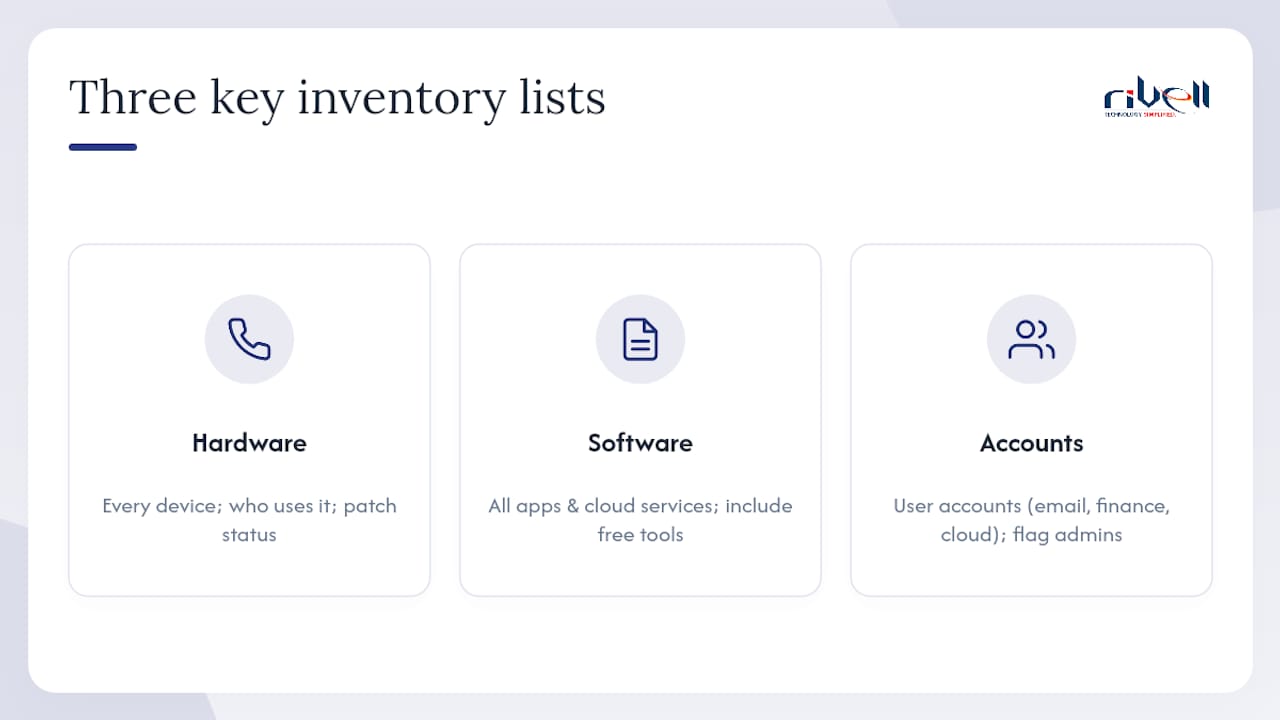
Start with three lists. First, hardware: every laptop, desktop, phone, printer, and network device connected to your network, along with who uses it and its patch status. Second, software and cloud services: every application, subscription, and cloud platform your business relies on, including the free tools an employee signed up for without asking. Third, accounts: every user account across email, financial systems, and cloud platforms, with a note on who has administrative privileges.
Governance doesn’t require a security team. It requires one person who owns the decisions. Assign someone (even if that’s you) to approve new software, disable accounts within 24 hours of an employee’s departure, and review admin access quarterly. NIST’s CSF 2.0 quick-start guide frames this as the “Identify” function, and it’s the foundation everything else sits on. NIST estimates roughly 34.8 million small businesses operate in the U.S., the vast majority with no dedicated IT staff, which is exactly why this step gets skipped so often.
Pro Tip: Check your router’s connected-devices page or use your Wi-Fi admin app to list every device currently online. You’ll almost always find at least one you forgot about, often a smart TV or an old tablet still holding a saved password.
Formality can wait. Visibility can’t.
How Do You Lock Down Access With MFA and Password Policies?
Account takeover is the single fastest way into a small business network, and multi-factor authentication is the single most effective block against it. Enforcing MFA for privileged and administrative accounts materially reduces account takeover risk, especially when you use phishing-resistant methods like FIDO security keys rather than SMS codes, which attackers can intercept.

Mandating MFA is not the same as offering it. If enrollment is optional, adoption stalls. Set a hard deadline, block sign-in for accounts that haven’t enrolled after that date, and prioritize email, banking, and any system with customer data first.
Password strategy matters just as much as MFA, particularly for the systems MFA doesn’t cover yet:
- Deploy an enterprise password manager so employees stop reusing passwords across personal and work accounts
- Require unique, generated passwords for every login, not variations on a theme
- Eliminate shared logins for shared tools; give each person their own credentials so activity can be traced
- Set a password manager master password policy separate from everyday account passwords
Least-privilege access is the piece owners skip because it feels like extra friction. It shouldn’t be. Remove local administrator rights from everyday employee laptops so a single phishing click can’t install malware system-wide. For privileged accounts (the ones that can create users, change firewall rules, or access financial systems), keep a short list, review it every quarter, and require MFA without exception.
How Often Should You Patch Software and Update Endpoint Protection?
Unpatched software is still one of the most common entry points attackers use, and most small businesses aren’t behind because patching is hard. They’re behind because nobody owns the task.
Set operating systems and browsers to auto-update. That’s a five-minute setting change that closes a large share of exploitable gaps without anyone lifting a finger afterward. For everything else, prioritize based on CISA’s Known Exploited Vulnerabilities catalog: if a vulnerability on that list affects software you run, patch within days, not your normal monthly cycle.
Antivirus alone isn’t enough anymore. Modern endpoint detection and response (EDR) tools watch for suspicious behavior, not just known malware signatures, and can isolate an infected device automatically before it spreads across your network. If you’re choosing endpoint protection for the first time, look for behavioral detection, automatic isolation, and centralized reporting so one person can see the status of every device from a single dashboard.
Pro Tip: Set a defined maintenance window, say, Tuesday nights, for non-critical patches, and keep a rollback plan (a recent backup or system restore point) for any update that breaks something. Exceptions to patching should be documented with a reason and a re-review date, never left open-ended.
Explore endpoint protection options built for businesses without a dedicated security team, since the gap between basic antivirus and full EDR is where most small offices get caught.
What Network Defenses Actually Stop an Attack?
Your firewall is the wall around the property. Your Wi-Fi settings are the locks on the doors. Both need attention beyond the factory defaults.
A properly configured firewall blocks everything by default and only allows the traffic you explicitly need. Next-generation firewalls (NGFWs) add intrusion prevention and application-level filtering, catching threats a basic firewall would miss entirely. Cisco’s small business network security checklist recommends monitoring traffic continuously and keeping frontline defenses current, since a firewall configured once in 2022 and never touched again is barely better than no firewall at all.
Wi-Fi steps that take under an hour:
- Rename your default SSID so it doesn’t reveal your router’s brand or model
- Use WPA3 encryption where your hardware supports it
- Create a separate guest network completely isolated from business systems
- Log into your router’s admin panel and review connected devices and open ports quarterly
Segmentation is the network security equivalent of watertight compartments on a ship. If a compromised point-of-sale terminal sits on the same flat network as your accounting server, one breach becomes a total breach. Splitting your network into zones, guest Wi-Fi, employee devices, servers, and point-of-sale systems, limits how far an intruder can move once they’re inside.
For remote access, a VPN encrypts traffic between an employee’s laptop and your office network, which matters more than ever with hybrid work. Zero trust takes it a step further: instead of trusting anyone once they’re “inside” the network, it verifies every request regardless of location. For most small businesses, a well-configured VPN paired with MFA covers remote access needs without the complexity of a full zero-trust rollout. If your team handles sensitive client data, network design built with these principles from the start saves you from retrofitting segmentation later.
What Should You Log and When Do You Need Outside Monitoring?
You can’t respond to an attack you never noticed. Logging is how you notice.
Prioritize four sources: email (failed logins, forwarding rule changes), authentication systems (repeated failed sign-ins, logins from unusual locations), firewall traffic, and endpoint alerts from your antivirus or EDR tool. Retain at least 30 days of logs for daily review and 90 days for investigating anything that surfaces later, since some intrusions aren’t discovered for weeks.
Watch for specific patterns: a login from a country you don’t operate in, an email forwarding rule an employee didn’t set up, a spike in outbound traffic at 3 a.m., or an endpoint alert flagged as “resolved” that you don’t remember addressing. Any one of these deserves a same-day look, not a someday look.
Pro Tip: If you don’t have anyone checking logs daily, they’re not providing security, they’re providing paperwork. That’s usually the moment to bring in outside help.
Continuous monitoring is where a managed security service provider (MSSP) earns its cost for most small businesses. Practitioners increasingly recommend unified threat management or an MSSP specifically because it gives access to enterprise-grade tools, NGFW, intrusion prevention, EDR, without hiring a full-time security analyst. When evaluating one, ask about monitoring hours (24/7 or business hours only), response time commitments, and what a sample monthly report actually looks like before you sign anything.
How Do You Recover After a Breach or Ransomware Attack?
Backups are the difference between a bad afternoon and a business-ending event. Ransomware doesn’t care how good your firewall is if your only backup is sitting on the same network it just encrypted.
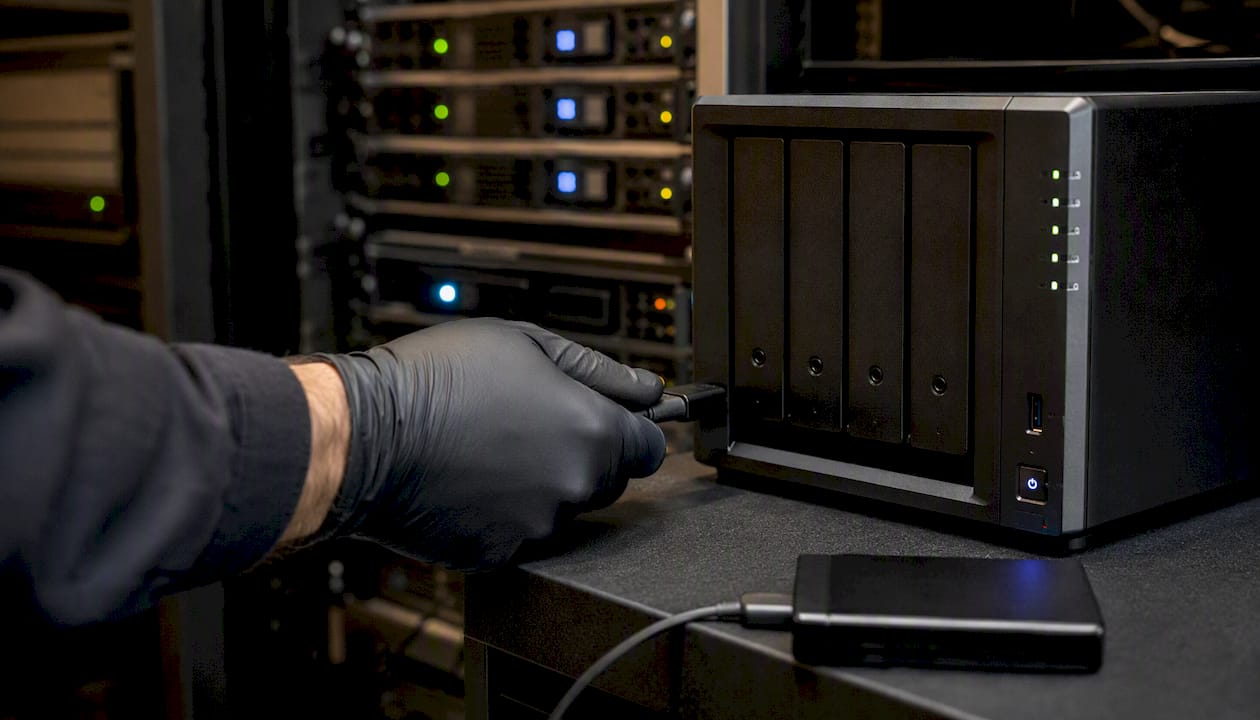
Follow the 3-2-1 principle: three copies of your data, on two different types of media, with one copy offline or immutable so ransomware can’t reach it. Encrypt backups both in transit and at rest, since a backup that gets stolen is just as damaging as one that gets destroyed.
Your incident response plan doesn’t need to be long. It needs to answer four questions before you’re in a crisis and stressed:
- Who is on the response team, and how do you reach them if email is compromised?
- Who has the authority to shut down affected systems?
- Who contacts customers, insurers, and, if required, regulators?
- Where is the plan stored so it’s accessible even if your network is down?
Testing restores matters as much as making backups. Run a partial restore (a handful of files) monthly, and a full system restore at least twice a year. A backup you’ve never tested restoring is a hope, not a plan. For a deeper walkthrough of what recovery looks like in practice, Rivell’s guide to cyber attack recovery covers the sequencing most businesses get wrong under pressure. For backup method trade-offs specifically, this backup methods guide is worth a look.
How Do You Train Employees to Spot Phishing?
Your employees are either your weakest link or your best early-warning system, and the difference usually comes down to training frequency, not talent.
Short, repeated sessions beat one annual hour-long lecture every time. A 10 to 15 minute session quarterly, covering one real example of a recent phishing attempt, retains far better than a marathon session nobody remembers by March. Cover what a suspicious link looks like, why urgency (“your account will be suspended today”) is a red flag, and exactly who to report suspicious emails to.
Phishing simulations don’t require expensive software. Send a realistic but harmless test email, track who clicks, and follow up privately with anyone who does, not to embarrass them, but to close the gap. Track click rates over each quarter; a downward trend is your training working. A free cybersecurity awareness certification is a low-cost way to formalize this for staff who want a credential attached to the training.
Pro Tip: Set up DMARC, DKIM, and SPF on your email domain. These three records verify that email claiming to come from your company actually did, which blocks a huge share of the spoofed emails attackers use to impersonate your business to customers and vendors.
What Will This Cost and What Should You Fix First?
Budget follows priority, not the other way around. If money is tight, sequence matters more than spending.
Tier one (do regardless of budget): MFA, unique passwords via a password manager, and basic backup testing. These cost little beyond time.
Tier two (modest ongoing spend): endpoint protection/EDR, automatic patching tools, and a properly configured firewall. Expect a recurring per-device or per-user fee.
Tier three (bigger investment, often outsourced): 24/7 monitoring, network segmentation, and formal incident response planning.
A DIY approach using free or low-cost tools can cover tier one almost entirely. Tiers two and three are where most small businesses hit a ceiling, not because the tools are expensive, but because nobody in the building has time to manage them well. Save money on infrastructure by moving email and file storage to cloud platforms with security built in; invest the savings into backups, EDR, and MFA enforcement, the three controls with the highest return per dollar. Managed IT services pricing is often lower than businesses expect once they compare it against the cost of hiring even a single in-house IT hire.
Should You Hire a Managed IT Provider or Handle Security In-House?
For a business with one overworked office manager doubling as “IT,” DIY security has a ceiling. You can implement MFA and password managers yourself. You cannot realistically staff 24/7 log monitoring, keep pace with every new vulnerability, and manage backups, patching, and helpdesk requests all at once, not without eventually dropping something.
A managed IT or security provider trades that constant juggling for a fixed monthly cost and a team whose entire job is watching your network. The trade-off is real: you’re relying on someone outside your walls, so vendor selection matters. Before signing anything, ask direct questions: What are your monitoring hours, business hours or genuinely 24/7? What’s your guaranteed response time for a critical incident? How often do you send reports, and what do they actually include? Can you show an example of how you handled a real incident for another client?
A reasonable onboarding timeline runs 30 to 60 days: the first 30 for asset discovery and baseline security fixes (MFA, patching, backups), the next 30 for monitoring setup and staff training rollout. Businesses that make this transition typically report fewer unplanned outages and faster recovery when something does go wrong, simply because someone is watching before a small issue becomes a big one.
What Small Businesses Get Wrong About Security
The biggest failing isn’t a missing tool. It’s treating security as a project instead of a habit. A business will spend real money on a firewall, then let default passwords sit unchanged for years, or run a phishing training once and never again. CISA’s framing has shifted for good reason: away from rigid rules like “never use public Wi-Fi” and toward building an actual culture of cyber readiness, backup testing, leadership buy-in, and repeatable habits.
Rivell sees the same pattern across new clients, regardless of industry: the technical gaps are usually easy to close. The organizational gap, nobody owning the decision to enforce MFA, nobody testing whether the backup actually restores, is what takes longer to fix and matters more.
If there’s one low-cost, high-impact move that gets skipped constantly, it’s least-privilege access. Removing admin rights from everyday laptops costs nothing and blocks a huge share of malware from spreading, yet it’s usually the last thing on anyone’s list because it feels inconvenient. It shouldn’t be treated as optional.
How Rivell Helps Small Businesses Put This Into Practice
Reading a checklist is one thing. Implementing MFA across every account, keeping patches current, watching logs at 2 a.m., and testing backups on a schedule is another, especially without a dedicated IT team.
Rivell’s managed IT services for small businesses map directly to the controls covered here: 24/7 network monitoring, EDR deployment and management, tested backup and disaster recovery, MFA enforcement across every critical system, and patch management that doesn’t wait for a quarterly reminder. Onboarding follows the same 30/60/90 structure outlined above, asset discovery and quick wins in the first 30 days, monitoring and training rollout by day 60, and a documented incident response plan by day 90. New clients get a clear picture of their environment fast, not a vague promise of “better security” sometime down the road. If you want a straight answer on where your network stands right now, request a network security assessment and Rivell will walk you through exactly what’s missing and what it takes to fix it.
Where to Find Official Guidance and Templates
- CISA’s Cyber Essentials offers a starter kit with bite-sized, prioritized actions.
- FTC cybersecurity guidance covers data protection basics and incident reporting steps.
- NIST’s CSF 2.0 Small Business Quick-Start Guide provides templates for businesses with no existing security plan.
Pro Tip: Bookmark all three. Between them, you’ll find nearly every template and checklist referenced in this guide, free of charge.
Frequently Asked Questions
What is the single most important step in small business network security?
Enforcing multi-factor authentication across email and financial accounts, since account takeover from stolen passwords remains one of the most common entry points attackers use against small businesses.
How much does small business network security cost?
Basic controls like MFA and password managers cost little to nothing. Endpoint protection and managed monitoring typically run as a recurring per-device or per-user fee, often cheaper than hiring an in-house IT employee.
How often should a small business test its backups?
Test partial restores monthly and a full system restore at least twice a year. A backup that has never been tested for restoration cannot be trusted in an emergency.
Is a small business really a target for cyberattacks?
Yes. The FTC is explicit that no business is too small to be targeted, and attackers often prefer small businesses precisely because their defenses tend to be weaker.
When should a small business hire a managed IT or security provider?
When nobody in the business has time to monitor logs daily, manage patching consistently, and maintain backups, which is most small businesses once they pass a handful of employees.
Sources
- Cyber guidance for small businesses | CISA
- NIST.SP.1300: NIST Cybersecurity Framework 2.0: Small Business Quick-Start Guide
- Cybersecurity for small businesses | FTC
- NIST Cybersecurity Framework 2.0: Small Business Quick-Start Guide | NIST
