
For most businesses, VoIP is the right call. Cloud-hosted VoIP typically runs $20–$45 per user per month, bundles features that landlines charge extra for, and scales without a technician visit. The FCC reports that over 97% of U.S. homes and small businesses can access modern fixed internet or mobile services capable of supporting VoIP, which removes the coverage excuse for most operators.
That said, two caveats matter before you cancel your copper lines:
- E911 works differently on VoIP. Landlines auto-locate by circuit; VoIP requires you to provision a registered address, and mobile softphones introduce location uncertainty. Proper setup closes most of that gap, but it requires deliberate action.
- VoIP depends on power and internet. A traditional POTS line draws power from the central office and survives a local outage. VoIP goes dark when your router does, unless you add a UPS and a cellular failover modem.
The narrow cases where keeping copper or running a hybrid still makes sense: elevator emergency phones governed by local code, alarm and fire panels that require analog signaling, legacy point-of-sale systems that dial over POTS, government fax lines that mandate analog, and any site with no reliable broadband. Outside those scenarios, the cost savings and feature set of VoIP win on almost every dimension.
Key Takeaways
VoIP is the right default for most U.S. businesses: it costs substantially less than POTS, bundles unified communications features, and scales without carrier provisioning delays, provided the network is properly configured before go-live.
| Point | Details |
|---|---|
| VoIP saves significantly on cost | Cloud-hosted VoIP typically runs $20–$45/user/month versus $40–$80/line for business POTS, with 40–60% multi-year savings. |
| E911 requires active provisioning | VoIP E911 is not automatic; register a physical address for every location and train staff on softphone location updates. |
| Power and internet are dependencies | Add a UPS on networking gear and a cellular failover modem before go-live to match landline outage resilience. |
| Landlines stay for narrow exceptions | Elevator phones, alarm panels, legacy POS, and sites with no broadband are the legitimate reasons to keep copper on specific lines. |
| Rivell manages the full migration | Rivell’s managed VoIP service covers network readiness, E911 provisioning, porting, and post-cutover monitoring for NJ businesses. |
Table of Contents
- How does VoIP work for a business phone system?
- How do traditional landlines (POTS/PSTN) work, and why are carriers retiring copper?
- VoIP vs. landline: a side-by-side comparison for business buyers
- How reliable is VoIP, and what happens during an outage?
- What does VoIP actually cost? A 3-year example for a 10-seat business
- Security, privacy, and compliance for business VoIP
- When does a landline or hybrid setup still make sense?
- How to migrate to VoIP: a practical checklist for your IT team
- Is VoIP right for your business? A quick decision guide
- The case for VoIP is strong, but the implementation details are where businesses get burned
- Ready to make the switch? Rivell handles the whole migration
- Sources
How does VoIP work for a business phone system?
VoIP converts your voice into digital data packets and sends them across your IP network or the public internet, rather than holding a dedicated circuit open for the duration of the call. The core protocols are SIP (Session Initiation Protocol), which sets up and tears down calls, and RTP/SRTP, which carries the audio stream in real time. Codecs compress and decompress that audio: G.711 is the standard-definition workhorse; G.722 and Opus deliver wideband HD audio when both endpoints support them.
Cloud-hosted vs. on-premises PBX
The deployment model determines who owns the complexity:
- Cloud-hosted (UCaaS): The provider runs the PBX in their data centers. You pay a monthly per-seat subscription, provision phones or softphones, and the vendor handles uptime, patches, and geo-redundancy. This is the right default for most small and mid-size businesses.
- On-premises IP PBX: You buy and rack the server, manage the software, and own the maintenance burden. Capital cost is higher upfront; ongoing cost can be lower at scale, but you absorb the risk of hardware failure and software updates.
Bandwidth and QoS
Each concurrent call needs roughly 80–100 Kbps of upload and download bandwidth. A 10-person office that might have five simultaneous calls needs about 500 Kbps dedicated to voice, which is modest by modern broadband standards. The real issue is not raw speed but prioritization. Without Quality of Service (QoS) rules on your router, a large file upload can spike latency and cause choppy audio.
Pro Tip: Enable QoS on your router or switch to tag voice traffic (DSCP EF) before your first call. Most call-quality complaints trace back to missing QoS, not insufficient bandwidth, per common network troubleshooting patterns.
For remote staff, softphone apps on a laptop or smartphone turn any internet connection into a business extension. That flexibility alone often justifies the switch for companies with hybrid or distributed teams. For a deeper look at VoIP fundamentals, Rivell’s technical explainer covers the protocol stack in plain language.
How do traditional landlines (POTS/PSTN) work, and why are carriers retiring copper?
A landline call travels over a dedicated copper pair from your building to the carrier’s central office, where circuit-switching equipment connects it to the destination. That copper pair carries low-voltage DC power from the central office, which is why a POTS phone keeps working during a local power outage with no battery backup on your end.
The physical topology matters for reliability: the circuit is yours for the duration of the call, with no shared bandwidth and no packet loss. That predictability is the genuine technical advantage of POTS, and it explains why certain regulated devices (alarm panels, elevator phones) were designed around it.
The problem is that this infrastructure is expensive to maintain and shrinking fast. FCC data shows that interconnected VoIP connections grew from roughly 58% of fixed retail voice lines in 2018 to over 79% by December 2024, while fixed broadband capable of supporting VoIP reached approximately 91 connections per 100 households by the end of 2024. Carriers are actively seeking permission to retire copper plant, and the FCC’s consolidated technology-transitions rules now recognize interconnected VoIP as an adequate replacement for legacy voice in many cases, while requiring continued E911 protections during any transition.
The practical implication: if you are waiting for copper to get better or cheaper, it will not. The network investment is flowing to fiber and wireless, not to POTS maintenance.
Key structural differences between POTS and VoIP:
- POTS uses circuit switching; VoIP uses packet switching over shared IP infrastructure.
- POTS draws power from the central office; VoIP requires local power (router, switch, phone).
- POTS is a single-purpose voice network; VoIP rides the same broadband connection as your data.
- POTS pricing is per-line and largely fixed; VoIP pricing is per-seat and scales up or down.
VoIP vs. landline: a side-by-side comparison for business buyers
VoIP wins on cost, features, and scalability for most business scenarios. Landlines hold a narrow edge on power-independent reliability and analog device compatibility. Here is how the two systems compare across the dimensions that matter most to procurement decisions:
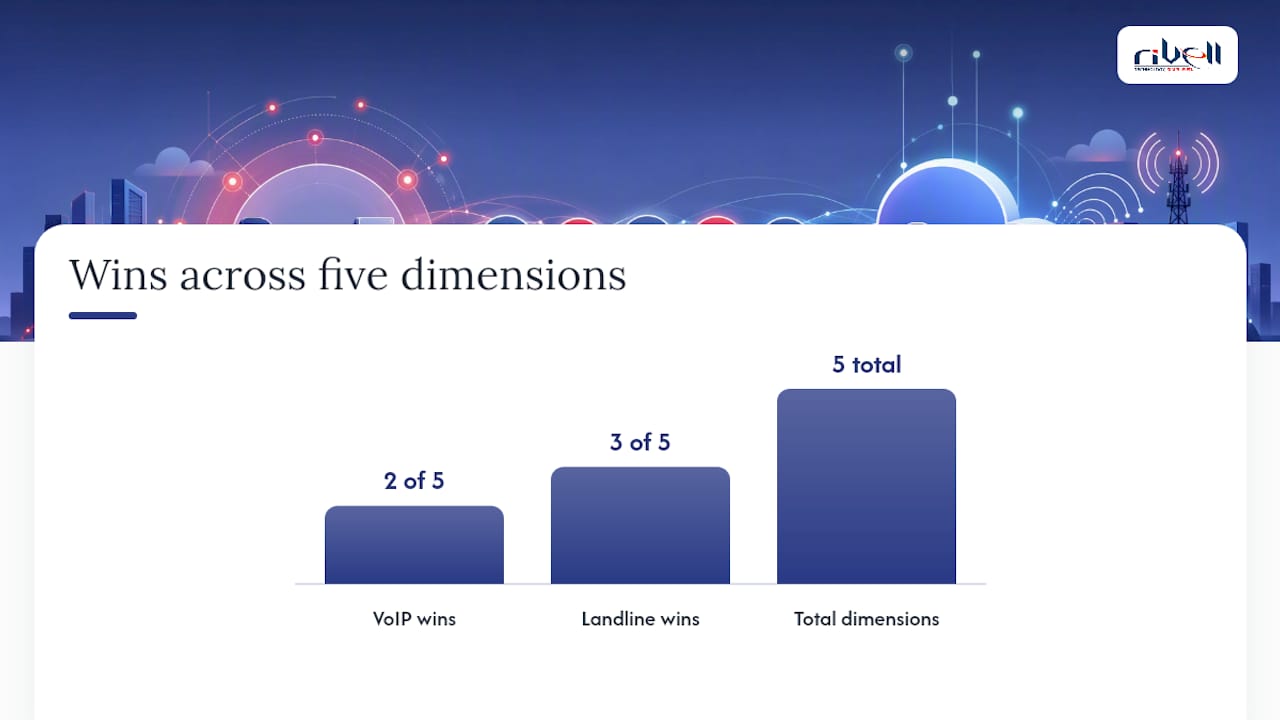
| Dimension | VoIP | Landline (POTS/PSTN) |
|---|---|---|
| Monthly cost per line | $20–$45/user (cloud-hosted) | $40–$80/line (business POTS) |
| Hardware cost | IP phones ($80) or free softphone | Analog phones (low cost, but PBX hardware is expensive) |
| Unified communications | Included (video, chat, presence, CRM integration) | Not available natively |
| Call routing and IVR | Included in most plans | Requires PBX add-on or carrier feature |
| Analytics and reporting | Included | Limited or unavailable |
| Scalability | Add a seat in minutes via portal | Requires carrier provisioning (days to weeks) |
| Power dependency | Requires local power (router, switch, phone) | Central office powers the line |
| Internet dependency | Yes — quality tied to broadband | No |
| E911 support | Requires address provisioning; NG911 capable | Automatic by circuit location |
| Encryption | TLS/SRTP available on business-grade platforms | Not encrypted |
| Compliance packaging | HIPAA BAA available from major providers | No equivalent |
| Implementation timeline | Days to weeks (cloud-hosted) | Weeks to months (new PBX) |
The most consequential trade-offs, in plain terms:
- Cost delta is significant. Cloud-hosted VoIP can save 40–60% over traditional systems across a multi-year comparison, largely because it eliminates PBX hardware, maintenance contracts, and per-feature add-on fees.
- VoIP includes what landlines charge extra for. Auto-attendant, call queues, voicemail-to-email, call recording, and video conferencing are standard on most business VoIP plans. On a legacy PBX, each of those is a separate line item.
- Power and internet are real dependencies. A UPS on your networking gear and a cellular failover modem are not optional for a business that cannot afford downtime.
- E911 provisioning is your responsibility on VoIP. The FCC has confirmed that facilities-based interconnected VoIP can meet E911 obligations, but only when providers implement the required processes and you register accurate location data.
- Landlines offer zero native UC features. If your team uses video calls, instant messaging, or CRM screen-pops, those capabilities require a separate platform on top of POTS.
How reliable is VoIP, and what happens during an outage?
With proper design, VoIP can match or exceed landline uptime for most businesses. The key phrase is “proper design.” An unprotected VoIP setup that depends on a single ISP and a consumer-grade router will fail in ways a POTS line would not. A VoIP deployment with a UPS, a cellular failover router, and a provider offering geo-redundant infrastructure is a different animal entirely.
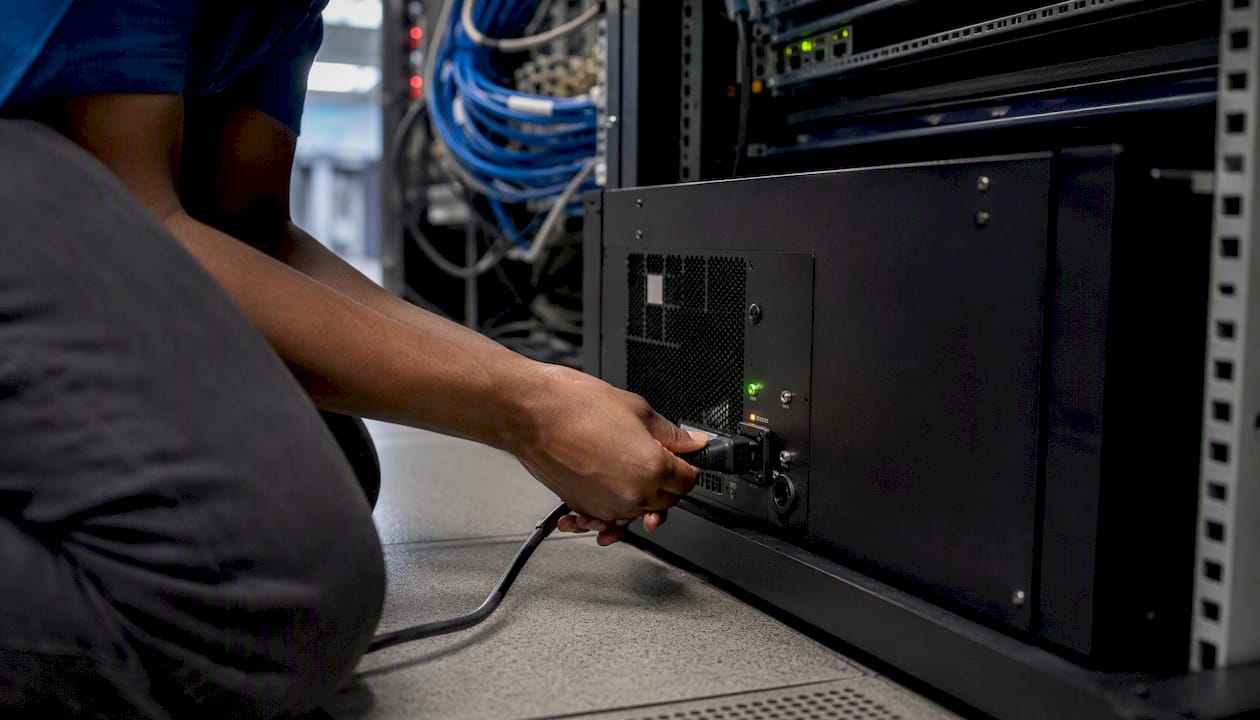
The FCC’s technology-transition framework reflects this reality: over 97% of U.S. locations can access modern broadband or 4G/5G, which means the infrastructure for reliable VoIP exists almost everywhere. The question is whether your internal network is configured to use it properly.
E911 and NG911 in a VoIP environment
Landline E911 is automatic. The carrier knows your address by circuit, and that information routes to the PSAP (Public Safety Answering Point) without any action on your part. VoIP E911 works differently:
- You must register a physical address with your VoIP provider for each line or device.
- When employees use softphones from home or a hotel, the registered address may not match their actual location. Most platforms let users update their location, but this requires training and policy.
- NG911 (Next Generation 911) is the IP-based upgrade to the emergency calling infrastructure. The FCC requires that VoIP providers support NG911 when requested by authorities, per the consolidated discontinuance rules.
Practical mitigations every business should implement
- UPS on all networking gear: router, switches, and PoE injectors for IP phones. A 30-minute battery buys time for most brief outages.
- Cellular failover router: an LTE/5G modem that activates automatically when the primary ISP drops. Many SMB-grade routers include this as a built-in feature.
- Provider geo-redundancy: confirm your VoIP provider runs redundant data centers and publishes an uptime SLA of 99.99% or better.
- Mobile softphone forwarding: configure calls to ring the mobile app when the desk phone is unreachable, so staff can still receive calls on a cellular connection.
- Monitoring and SLA verification: use network monitoring to detect VoIP quality degradation before customers notice it.
What does VoIP actually cost? A 3-year example for a 10-seat business
VoIP lowers recurring costs substantially and bundles features that used to be separate line items on a landline bill. The savings compound over time because you are not paying for PBX hardware refreshes or per-feature carrier add-ons.
Cost comparison: 10-seat business over 3 years
Per-seat VoIP pricing typically falls in the $20–$45/month range for mainstream business tiers. The landline figures above reflect typical U.S. business POTS rates plus a mid-range on-premises PBX.
Hidden costs to budget for
- Regulatory fees and taxes: VoIP bills include federal USF contributions, E911 surcharges, and state telecom taxes. These add $3–$8 per line per month depending on your state.
- Number porting: porting existing numbers to a new VoIP provider typically costs $15–$30 per number and takes 5–10 business days.
- Professional onboarding: a managed migration with network assessment, QoS configuration, and E911 provisioning runs $500–$2,500 for a small business, but it prevents the call-quality problems that kill user adoption.
- Overage and international fees: confirm whether your plan includes unlimited domestic calling or charges per minute.
- Termination fees: some VoIP contracts carry early-termination penalties. Read the SLA before signing.
The productivity gains from VoIP features like unified communications and CRM integration add ROI that does not show up in the phone bill comparison, but they are real and worth modeling separately.
Security, privacy, and compliance for business VoIP
Modern business-grade VoIP can meet or exceed landline security when the platform uses TLS/SRTP encryption and the network is properly managed. An analog POTS line is not encrypted at all; a well-configured VoIP system with SRTP encrypts the audio stream end to end. The security gap between VoIP and landlines runs in VoIP’s favor when the implementation is done correctly.
Key security controls
- TLS for signaling, SRTP for media: TLS encrypts the SIP signaling layer; SRTP encrypts the audio stream. Both should be enabled by default on any business-grade platform.
- VLAN segmentation: isolate voice traffic on a dedicated VLAN so a compromised data device cannot intercept or disrupt calls.
- Firewall and SBC (Session Border Controller): an SBC at the network edge filters malformed SIP traffic and blocks toll-fraud attempts, which are the most common VoIP-specific attack.
- Strong access controls: enforce MFA on the admin portal and user accounts. VoIP admin portals are a target because toll fraud can generate thousands of dollars in charges overnight.
- Firmware and patch management: IP phones run embedded software that needs regular updates. Unpatched phones are a common entry point for attackers.
- Logging and audit trails: call detail records (CDRs) and admin-portal logs are required for compliance in regulated industries and useful for detecting anomalous call patterns.
Compliance considerations
- HIPAA: healthcare organizations need a Business Associate Agreement (BAA) from their VoIP provider before transmitting protected health information over the platform. Most major business VoIP providers offer BAAs; verify before signing.
- PCI DSS: if your team takes card payments over the phone, the call recording and storage features of VoIP can create PCI scope issues. Pause recording during payment capture or use a payment IVR that removes the agent from scope.
- Regulated industries: law firms, financial services, and government contractors may have call-recording retention requirements. Confirm your provider’s storage and export capabilities against your specific obligations.
Pro Tip: Before go-live, run a firmware audit on every IP phone and update to the current vendor release. Outdated phone firmware is the single most overlooked security gap in VoIP deployments, and it takes 30 minutes to fix.
When does a landline or hybrid setup still make sense?
Most businesses should default to VoIP. But specific operational, regulatory, or technical constraints can justify keeping copper or running a hybrid for a defined period.
Scenarios where landline retention or a hybrid approach is the right call:
- Elevator emergency phones: many local building codes and elevator standards require a dedicated POTS line for the in-cab emergency phone. Check your jurisdiction’s requirements before cutting copper.
- Alarm, fire, and burglar panels: traditional alarm panels use DTMF signaling over analog lines to communicate with monitoring centers. Some panels can be upgraded to IP communicators; others cannot. Verify compatibility before migration.
- Legacy point-of-sale systems: older POS terminals that dial out for batch settlement over POTS need either an ATA (Analog Telephone Adapter) or a hardware upgrade before you can cut the copper.
- Government fax lines: some federal and state agencies still require fax transmission over analog lines for certain document types. An ATA can bridge a fax machine to a VoIP line in most cases, but test it before committing.
- No reliable broadband: a site with only satellite or marginal DSL connectivity may not support consistent VoIP call quality. In that case, keep POTS until a better connection is available, or use a cellular-primary VoIP setup.
- Recently invested on-premises PBX: if you installed a new IP PBX in the last two years, SIP trunking (replacing analog carrier lines with VoIP trunks while keeping the PBX) is often the right intermediate step before a full cloud migration.
Hybrid options worth knowing
- ATAs (Analog Telephone Adapters): convert analog devices (fax machines, alarm panels, legacy phones) to work on a VoIP network. Brands like Cisco and Grandstream make widely deployed units.
- SIP trunking: replaces your POTS carrier lines with VoIP trunks while your existing PBX handles call routing. Lower cost than POTS, no full rip-and-replace required.
- Phased migration: keep critical analog lines on POTS while migrating standard voice seats to cloud VoIP. Consolidate once analog dependencies are resolved.
How to migrate to VoIP: a practical checklist for your IT team
A phased migration with a pilot reduces risk and gives your team time to validate call quality before full cutover. The typical sequence runs four phases: assessment, pilot, rollout, and post-cutover validation.
Phase 1: Assessment (weeks 1–2)
- Run a network readiness test: measure upload/download bandwidth, latency (target under 150ms), jitter (target under 30ms), and packet loss (target under 1%).
- Inventory all analog devices: phones, fax machines, alarm panels, elevator phones, POS terminals.
- Document current phone numbers and confirm porting eligibility with your new provider.
- Assess QoS configuration on routers and switches; identify gaps.
- Confirm E911 address requirements for each physical location.
Phase 2: Pilot (weeks 3–6)
- Deploy VoIP to a single department or floor (5–15 seats).
- Configure QoS and VLAN for voice traffic before the first call.
- Test concurrent call capacity at peak load.
- Validate E911 by calling a test line (not 911 itself) to confirm address delivery.
- Gather user feedback on audio quality, feature usability, and softphone performance.
Phase 3: Full rollout (weeks 7–16 for most SMBs)
- Port numbers in batches; keep POTS lines active in parallel until porting is confirmed.
- Deploy UPS on all networking gear and install cellular failover router.
- Train staff on the new platform: call transfer, voicemail, mobile app, and E911 address update procedures.
- Migrate analog devices to ATAs or upgrade hardware as needed.
- Decommission POTS lines only after parallel testing confirms clean cutover.
Phase 4: Post-cutover validation
- Run call quality tests from multiple locations and device types.
- Verify SLA terms with your provider and confirm monitoring alerts are active.
- Confirm CDR logging is enabled for compliance.
- Build a contact escalation list: provider NOC, your IT team or managed IT vendor, and the cellular failover carrier.
Pro Tip: Most VoIP call-quality problems trace back to local network issues, not the VoIP protocol itself. A network readiness test that simulates concurrent call load is a better predictor of success than any vendor demo.
Typical deployment timelines:
| Business size | Pilot duration | Full rollout | Primary owner |
|---|---|---|---|
| Small (under 20 seats) | 2–3 weeks | 4–8 weeks | IT vendor or MSP |
| Medium (20–100 seats) | 3–4 weeks | 8 weeks | IT team + vendor |
| Large (100+ seats) | 4–6 weeks | 14 weeks | IT team + project manager |
Is VoIP right for your business? A quick decision guide
Default to VoIP unless one of the red flags below applies. Work through these screening questions first:
- Does your location have reliable broadband with at least 10 Mbps upload and under 150ms latency?
- Do you have more than five phone lines? (VoIP savings scale with seat count.)
- Does your team include remote or hybrid workers who need a consistent business number?
- Are you paying for UC features (video, chat, call recording) as separate add-ons today?
- Is your current PBX more than five years old or approaching end-of-support?
- Do you operate in a regulated industry (healthcare, legal, finance) that needs call recording and compliance packaging?
- Can you tolerate a 2–4 week migration window with a parallel POTS safety net?
- Are you willing to add a UPS and cellular failover modem to your network stack?
If you answered yes to most of these, VoIP is the right move. If you answered no to questions 1, 7, or 8, address those gaps before cutting copper.
Red flags that suggest a hybrid or delayed migration
- No redundant ISP or cellular failover option at your site.
- Active alarm or fire panels that require analog signaling and cannot be upgraded.
- Regulatory mandate requiring POTS for a specific line (elevator, government fax).
- A PBX installed within the last 18 months with remaining depreciation.
When you are ready to move, the next step is a network readiness test and a conversation with a VoIP provider selection checklist in hand. The small business VoIP benefits are real, but only if the network underneath is ready to support them.
The case for VoIP is strong, but the implementation details are where businesses get burned
The VoIP vs. landline debate was settled on cost and features years ago. What still trips businesses up is the gap between “we signed up for VoIP” and “our phones work reliably.” That gap is almost always a network configuration problem, not a VoIP problem.
The businesses I see struggle with VoIP share a common pattern: they chose a provider based on price, skipped the network assessment, and discovered QoS issues on day one of go-live. The businesses that get it right run a pilot, fix the network first, and treat E911 provisioning as a non-negotiable checklist item rather than an afterthought.
Three things worth doing before you sign anything. First, run a real network readiness test that simulates concurrent call load, not just a speed test. Second, get a written E911 compliance confirmation from your provider and verify that every physical location has a registered address in the system. Third, buy the UPS and cellular failover modem before the pilot starts, not after the first outage.
The landline exceptions are real but narrow. Elevator phones, alarm panels, and sites with no broadband are legitimate reasons to keep copper on specific lines. They are not reasons to keep copper everywhere. A hybrid approach handles those edge cases cleanly while the rest of your seats move to VoIP and start generating savings.
With over 25 years of managed IT experience, Rivell has seen both the wins and the failures. The wins come from treating VoIP migration as a network project first and a phone project second.
Ready to make the switch? Rivell handles the whole migration
Rivell’s managed VoIP services for New Jersey businesses cover the full migration lifecycle: network readiness testing, QoS and VLAN configuration, E911 provisioning, number porting, UPS and LTE failover installation, and post-cutover monitoring. You get a single point of accountability instead of coordinating between a VoIP vendor, a carrier, and your internal IT team.
The starting point is a free network readiness assessment. Rivell evaluates your current bandwidth, latency, and QoS configuration, identifies any analog devices that need ATAs or hardware upgrades, and gives you a realistic migration timeline and cost estimate before you commit to anything. For businesses that want ongoing management after the migration, Rivell’s managed IT services for small businesses include continuous monitoring, help desk support, and VoIP platform management under a single monthly contract. Contact Rivell to schedule your assessment and get a migration plan built around your specific environment.
Sources
These are the primary sources behind the claims in this article:
- Tech transitions — FCC
- Federal Register: Network and Services Modernization (2026)
- DOC-419252A1.pdf — FCC report excerpt
- FCC-26-19A1.txt
- VoIP vs. Traditional Phone Systems: Which Is Right for Your Business in 2026? | COMNEXIA
