
If your team lives in Zoom Meetings already, Zoom Phone is the faster, lower-friction path to UCaaS. If telephony is mission-critical and your environment spans multiple sites, complex call flows, or a contact center, RingCentral is the stronger platform. The immediate next step: count your seats, map your primary workflow (meeting-first or phone-first), and request a negotiated quote from both vendors before comparing list prices. Entry-level list prices run roughly $10–$15 per user per month for Zoom Phone versus $20–$30 for RingCentral, but mandatory fees and add-ons can push actual monthly costs notably above those base rates. That gap matters more than the headline number.
Table of Contents
- How do Zoom Phone and RingCentral compare at a glance?
- What feature differences actually matter in a head-to-head comparison?
- How do the pricing plans and total cost of ownership compare?
- How do administration, deployment, and integrations differ?
- What security, compliance, and reliability standards should you verify?
- How do you decide which platform is right for your organization?
- How were these conclusions reached?
- Key Takeaways
- What most buyers get wrong about this decision
- Rivell handles your VoIP migration so your team does not have to
- Useful sources for procurement and IT teams
How do Zoom Phone and RingCentral compare at a glance?
The table below maps the core decision dimensions. Treat the pricing column as a directional signal only. Negotiated rates for 50+ seats routinely fall well below list, and the functional scope you actually need often changes which tier you are comparing.
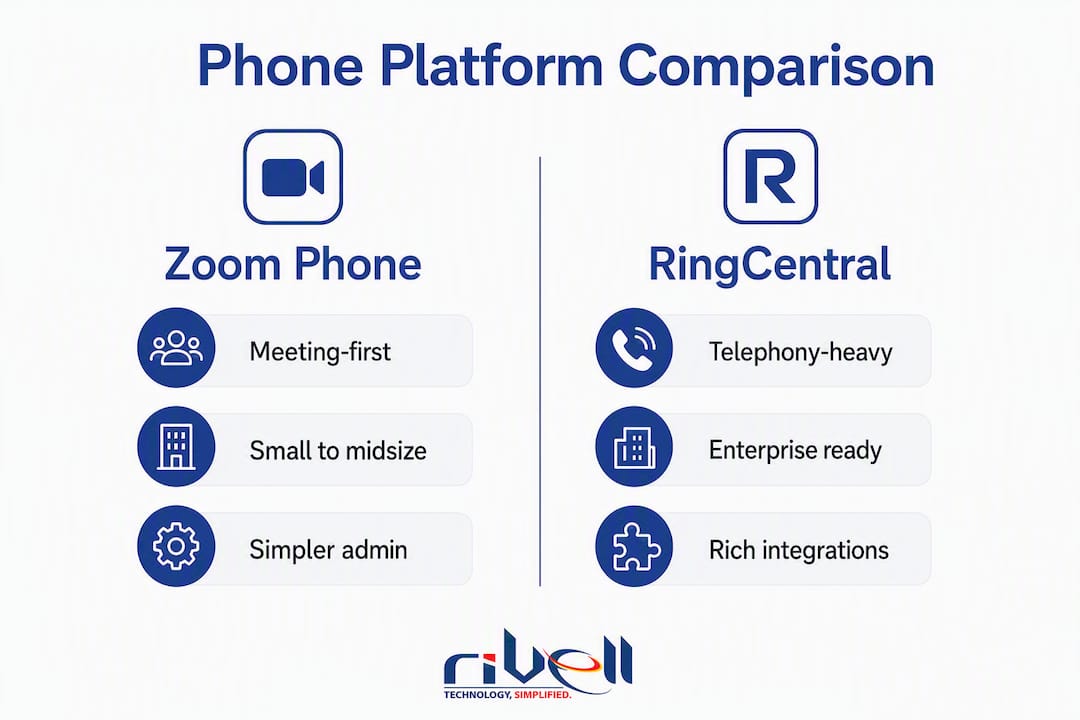
| Dimension | Zoom Phone | RingCentral (RingEX) |
|---|---|---|
| Best for | Meeting-first SMBs, 10–250 seats | Telephony-first orgs, 50–1,000+ seats |
| Entry list price | ~$10–$15/user/mo (annual) | ~$20–$30/user/mo (annual) |
| Core telephony | IVR, call queues, recording, voicemail transcription | Deep IVR/ACD, multi-level auto-attendant, call queues, recording |
| Collaboration | Strong video; team chat included | Strong video; team chat included |
| Contact center | Zoom Contact Center (improving; lighter analytics) | RingCX / dedicated CC products; mature ACD/supervisor tooling |
| Integration ecosystem | Salesforce, Slack, Microsoft, Google; focused set | 500+ integrations; broader marketplace |
| Admin complexity | Lower; single Zoom portal | Higher; more governance controls |
| Support/SLA | Standard included; premium 24/7 is a paid add-on | Standard included; premium support is a paid add-on |
The list-price gap looks decisive on paper. In practice, a 100-seat organization negotiating a two-year term can close much of it. Where the table should be overridden: if your team’s primary daily workflow is video meetings and you want voice as a bolt-on, Zoom Phone wins on simplicity regardless of price. If you are running a multi-site call center with supervisor dashboards and overflow routing, RingCentral’s depth justifies the premium.
Pro Tip: Never compare Zoom Phone’s entry tier against RingCentral’s mid tier. Map the features you actually need, then find the tier on each platform that delivers them. You will often find the functional equivalents are closer in price than the entry-tier gap suggests.
What feature differences actually matter in a head-to-head comparison?
Feature parity is not binary. The same feature name across vendors can hide real differences in depth, admin controls, retention limits, and discoverability. Validating feature depth, not just feature presence, is the single most important pilot discipline.
Core telephony: IVR, ACD, call queues, and recording
Zoom Phone covers the fundamentals well: multi-level auto-attendant, call queues, call recording, and voicemail transcription are available across its main plans. For a 50-person professional services firm that needs clean inbound routing and call logs, that is enough.
RingCentral goes deeper on telephony governance. Multi-level IVR with conditional routing, advanced ACD with priority queuing, and granular call-recording retention policies are native to its platform rather than add-ons. For a healthcare practice or law firm that needs documented call chains and audit-ready recordings, that depth matters operationally.
Recording retention is a good proxy for overall telephony maturity. Check the default retention window on each platform and what it costs to extend it before signing.
Contact center and supervisor tooling
RingCentral’s contact center family is the clearer choice for any organization running a formal contact center. RingCX and the broader RingCentral CC products offer mature ACD, real-time supervisor dashboards, agent state management, and reporting that Zoom Contact Center is still building toward. Zoom’s contact center product has improved, but its analytics and supervisor tooling remain lighter.

If you have 10 agents handling inbound service calls, Zoom Contact Center may be sufficient. At 40+ agents with supervisor monitoring, escalation queues, and SLA reporting, RingCentral is the safer bet.
Meetings, video, and team messaging
Zoom’s video quality and meeting reliability are its strongest differentiators. If your organization already pays for Zoom Meetings, adding Zoom Phone into the same admin portal eliminates a separate vendor relationship and reduces provisioning complexity. That consolidation benefit is real, particularly for IT teams managing fewer than five admins.
RingCentral’s video (RingCentral Video) is capable and tightly integrated with its phone and messaging stack. For teams that are not already invested in Zoom’s meeting ecosystem, the difference in video quality is less likely to be a deciding factor.
Team messaging is roughly equivalent on both platforms. Both offer persistent channels, file sharing, and task integrations. Neither has a clear edge here for most buyers.
Analytics and reporting
RingCentral’s analytics portal is more mature, with customizable dashboards, call-quality scoring, and historical trend reporting available at mid and upper tiers. Zoom Phone’s analytics have improved but are more basic at entry tiers.
For a business that needs weekly call-volume reports for a manager, Zoom Phone is fine. For a team that needs real-time queue dashboards, agent performance scoring, and exportable data for BI tools, RingCentral’s reporting is worth the premium.
Integrations and APIs
RingCentral’s 500+ integrations cover a broader enterprise marketplace: Salesforce, ServiceNow, Zendesk, Microsoft Teams, Google Workspace, and hundreds of vertical-specific connectors. Its open API is well-documented and widely used by developers building custom workflows.
Zoom Phone integrates with Salesforce, Slack, Microsoft, and Google natively, and its API is solid. The ecosystem is smaller but covers the integrations most SMBs actually use. If your CRM is Salesforce or HubSpot and your team uses Slack, Zoom Phone’s native connectors are sufficient.
Pro Tip: IT buyers: the integration gaps that hurt most surface under real call volume or multi-site deployments, not in a demo. During your pilot, run your actual call flows, test CRM screen-pop behavior, and simulate a site failover. Gaps that look minor in a feature matrix become operational problems at scale.
How do the pricing plans and total cost of ownership compare?
List prices are a starting point, not a budget. The real number is what you pay after mandatory regulatory fees, AI feature add-ons, international calling, storage upgrades, and premium support are factored in.
List prices by tier
Zoom Phone’s main plans run approximately $15–$22.49 per user per month on annual billing, depending on whether you need US/Canada unlimited calling or a global plan. RingCentral’s RingEX plans start around $20–$30 per user per month at list, with higher tiers for advanced analytics and larger seat counts.
| Tier | Zoom Phone (list, annual) | RingCentral RingEX (list, annual) |
|---|---|---|
| Entry | ~$15/user/mo | ~$20/user/mo |
| Mid | ~$22.49/user/mo | — |
| Enterprise | Custom / negotiated | Custom / negotiated |
| Negotiated (50+ seats) | Materially below list | Materially below list |
What actually changes the number
Mandatory regulatory fees and 911 charges apply to both platforms and are not reflected in advertised prices. AI features (transcription, summaries, coaching) are add-ons on both platforms at most tiers. International calling beyond the US and Canada is metered or requires an upgraded plan. Premium 24/7 support is a paid add-on for mission-critical deployments on both platforms.
Advertised pricing can increase actual monthly cost by roughly 15%–125% once mandatory fees and add-ons are applied. Model your TCO with a realistic add-on stack before presenting a budget to leadership.
Pro Tip: The strongest negotiation levers are multi-year terms (two or three years), committed seat volume, and bundling meeting licenses. Organizations with 50+ seats or multi-year commitments commonly secure discounts that materially narrow the list-price gap between vendors. Include a true-up clause in the contract so you are not locked into paying for seats you no longer use.
How do administration, deployment, and integrations differ?
Admin consoles and provisioning
Zoom Phone’s admin portal is the same portal used for Zoom Meetings and Webinars. For organizations already managing Zoom licenses, adding phone seats requires no new tooling. Provisioning a new user takes minutes. Multi-site management is supported, though the governance controls are lighter than RingCentral’s.

RingCentral’s admin console is more feature-rich and more complex. Role-based access controls, delegation hierarchies, and multi-site management are more granular. For a 200-seat organization with a dedicated IT team, that depth is an asset. For a 30-seat firm with a part-time IT admin, it can be more overhead than needed.
Consolidating meetings and voice into one admin portal reduces administrative overhead and accelerates adoption for meeting-first teams. That is the operational case for Zoom Phone in smaller environments.
Deployment checklist
Follow these steps in order for a clean rollout:
- Audit current numbers. Inventory all DIDs, toll-free numbers, and fax lines. Confirm which carrier currently holds them.
- Submit number porting requests early. Porting timelines vary by carrier and can run two to four weeks. Submit before your go-live date, not the week of.
- Configure E911. Assign physical addresses to every location and device. Confirm the vendor’s E911 routing behavior for remote workers.
- Stage hardware. If deploying desk phones, pre-provision them off-network before shipping to sites. Test firmware and provisioning profiles.
- Run a pilot with 10–20 users. Include at least one power user from each department. Test your actual call flows, not just basic inbound/outbound.
- Train admins and end users. Cover call forwarding, voicemail setup, and the mobile app. Most support tickets in the first 30 days come from users who skipped this step.
- Execute staged cutover. Move sites or departments in waves, not all at once. Keep the old system live in parallel for at least one week.
- Document a rollback plan. Know exactly how to revert if a critical call flow breaks post-cutover.
Carrier and E911 notes
Ask both vendors specifically about carrier reach in your geographic footprint, E911 configuration for remote and hybrid workers, and international routing for any offices outside the US. These are the items most commonly missing from initial proposals and most likely to cause problems at go-live.
For a broader look at how VoIP investments translate to productivity outcomes, Rivell’s guide on VoIP system productivity benefits covers the operational tradeoffs in detail.
What security, compliance, and reliability standards should you verify?
Do not treat either platform name as proof that the deployed call path is private. Verify signaling, media, certificates, endpoints, recording, and administrative controls for the exact plan and configuration. Rivell’s guide to protecting VoIP calls from eavesdropping explains why TLS, SRTP, and operational controls cover different parts of the path.
Security and compliance checklist
Before signing, verify each of the following with the vendor in writing:
- FINRA / financial services: — RingCentral has deeper compliance archiving and retention controls relevant to FINRA-regulated firms. Zoom Phone can support these workflows but may require additional configuration.
Reliability and SLA
Both platforms publish uptime SLAs in the 99.99% range for their enterprise tiers. Validate this against the vendor’s public status page history, not just the contract language. Ask specifically about geo-redundancy, failover behavior during a regional outage, and disaster recovery for call routing.
Mandatory fees and add-ons can increase monthly operational cost by 15%–125% beyond base subscription rates. Model compliance-specific add-ons (archiving, extended retention, BAA-covered tiers) into your TCO before finalizing a budget.
For organizations in regulated industries, compliance needs directly affect plan selection. A healthcare practice that needs HIPAA-covered call recording must confirm that the specific plan tier they are purchasing includes the BAA, not just that the vendor “supports HIPAA” in general.
How do you decide which platform is right for your organization?
Start with three questions before opening a vendor proposal:
- What is our primary workflow? — If your team spends more time in video meetings than on the phone, Zoom Phone is the natural extension. If inbound call handling, routing, and agent management are core to daily operations, RingCentral is the stronger foundation.
Decision checklist
- Map your call flows on paper: inbound routing, overflow behavior, after-hours handling, and any contact center queues.
- Identify your five most-used integrations and confirm native connector availability on each platform.
- Request a 30-day pilot with real users on real call flows. Do not accept a demo environment as a substitute.
- Test admin role delegation: can your IT admin provision a new user, change a call queue, and pull a call recording without vendor assistance?
- Ask for a porting timeline commitment in writing. If the vendor cannot give you a firm window, that is a red flag.
- Request a fully loaded pricing scenario: base subscription plus all add-ons you actually need, plus regulatory fees, for your exact seat count.
- Compare the result against a negotiated quote, not the list price.
Questions to ask vendor sales teams
- What is the typical porting timeline for numbers from our current carrier?
- Which plan tier includes the BAA for HIPAA compliance?
- How is E911 configured for remote workers who change locations?
- What does premium 24/7 support cost, and what is the response SLA?
- If we add 50 seats in year two, how does pricing true up?
- Can you simulate our top three call flows in a live environment before we sign?
Red flags that should disqualify a vendor
- Porting SLA is not committed in writing.
- Add-on pricing is not disclosed until after the contract is signed.
- No audit logs or retention period is shorter than your compliance requirement.
- The vendor cannot demonstrate your specific call flows in a pilot environment.
- Premium support is required for basic SLA guarantees but is not included in the quoted price.
For a structured procurement checklist, the SMB phone system comparison guide from Talkroute covers the core evaluation criteria in a format you can adapt for an RFP.
If you are also evaluating Microsoft Teams Phone alongside these two, Rivell’s Teams Phone vs RingCentral decision guide covers that comparison in the same framework.
How were these conclusions reached?
The analysis draws on vendor documentation, published pricing studies, practitioner experience from managed VoIP deployments, and third-party market comparisons. Pricing signals were cross-referenced across multiple sources to distinguish list-price claims from realistic negotiated outcomes. Feature assessments were validated against vendor release notes and deployment feedback from real multi-site rollouts.
Rivell has over 25 years of experience managing IT environments for businesses in New Jersey, including VoIP provisioning, number porting, and UCaaS migrations for healthcare practices, law firms, and regional businesses. That practitioner context shapes the recommendations here: the pain points described are the ones that actually appear in deployments, not the ones that look dramatic in a feature matrix.
This article was reviewed by Ryan, a managed IT practitioner with direct experience in UCaaS migrations and VoIP deployments for SMBs and regulated-industry clients.
Key Takeaways
Zoom Phone is the right call for meeting-first teams under 250 seats; RingCentral wins for telephony-heavy or contact-center environments where routing depth and integration breadth justify the premium.
| Point | Details |
|---|---|
| Platform fit by workflow | Zoom Phone suits meeting-first teams (10–250 seats); RingCentral fits telephony-heavy orgs (50–1,000+ seats). |
| True cost vs list price | Add-ons and fees can push actual monthly cost 15%–125% above base subscription rates. |
| Negotiation leverage | Organizations with 50+ seats or multi-year terms commonly secure discounts that narrow the list-price gap. |
| Pilot before you sign | Test real call flows, admin role delegation, and porting timelines in a live environment, not a demo. |
| Rivell’s role | Rivell manages VoIP migrations end-to-end for New Jersey businesses, covering RFP support, porting, provisioning, and 30/60/90-day optimization. |
What most buyers get wrong about this decision
The conventional wisdom frames this as a price comparison. It is not. The real question is which platform’s center of gravity matches your organization’s daily workflow, and most buyers do not answer that question until they are already mid-deployment.
The teams that struggle most are the ones that chose Zoom Phone because it was cheaper, then discovered six months later that their contact center agents needed supervisor dashboards that required a separate product. Or the ones that chose RingCentral for its feature depth, then found their 30-person team spending more time managing the admin console than using the phone.
There is also a hidden cost that almost no vendor proposal surfaces: the time your IT team spends on provisioning, porting delays, and end-user training in the first 90 days. A platform that is 20% cheaper at list but requires twice the admin effort is not actually cheaper. That is where a managed migration partner changes the math. A provider that has run these deployments before knows where the porting delays happen, which add-ons are actually mandatory, and how to stage a cutover without dropping calls.
The other thing buyers underestimate: compliance requirements narrow the decision faster than any feature comparison. If you are a healthcare practice, the BAA question eliminates plan tiers before you ever get to pricing. Start there.
Rivell handles your VoIP migration so your team does not have to
Choosing between Zoom Phone and RingCentral is the easy part. The hard part is porting 200 numbers without dropping a call, configuring E911 for 40 remote workers, and getting your team trained before the old system goes dark.
Rivell’s managed IT services for small businesses include full UCaaS migration support: discovery and RFP assistance, negotiated pricing guidance, number porting coordination, handset staging, admin training, and 30/60/90-day post-cutover optimization. For New Jersey businesses in healthcare, law, and professional services, Rivell also handles compliance configuration, including HIPAA BAA coordination and audit-log setup.
The benefits of a managed IT approach go beyond the migration itself: ongoing monitoring, help desk support, and a single point of accountability for your entire communications stack. Contact Rivell to scope your migration and get a realistic timeline before you sign a vendor contract.
Useful sources for procurement and IT teams
These are the primary sources used to form the conclusions in this article. Record the date you access any vendor pricing page, as list prices change frequently.
- Zoom Phone Pricing & Plans: The Complete Breakdown in 2026 — Detailed breakdown of Zoom Phone plan tiers, per-user costs, and what triggers price increases beyond the base rate.
