
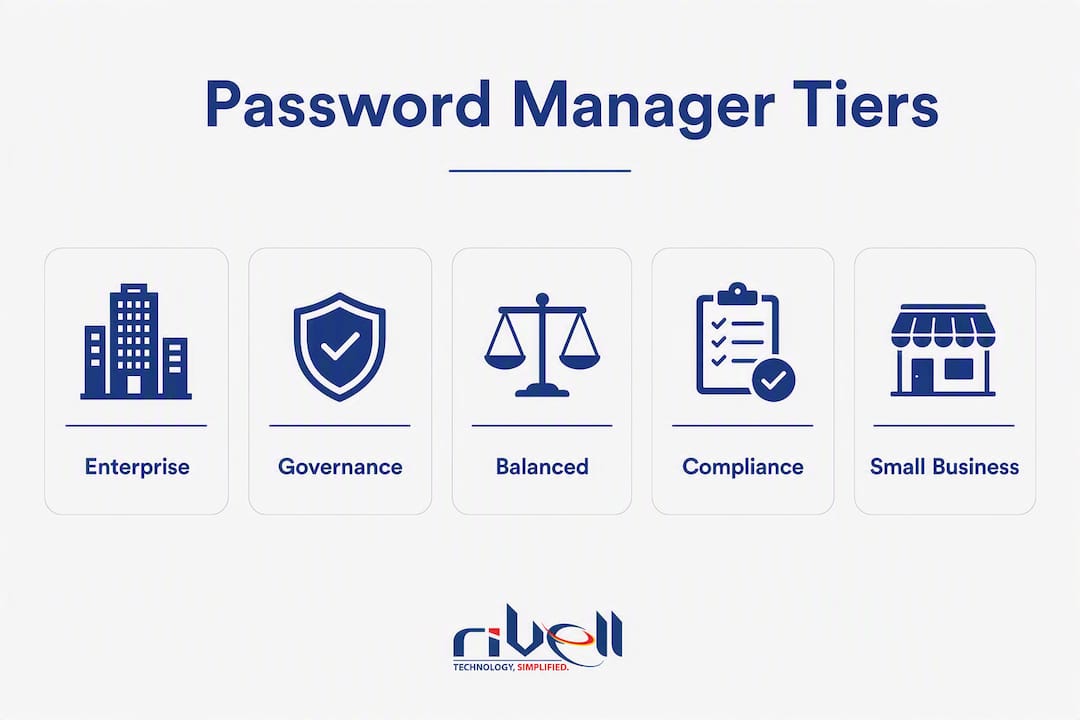
For most SMBs, the right business password manager falls into one of four categories: a usability-first option that deploys fast and works well for non-technical teams; a compliance and governance tier for organizations with audit, HIPAA, or SOC 2 obligations; an open-source or self-hosted option for teams with strict data-residency requirements; and a balanced enterprise tier that handles SSO, SCIM, and IdP integration without heavy IT overhead. Research confirms that business plans add admin consoles, SCIM, SSO, role-based access control (RBAC), and audit logs that consumer plans simply do not provide. That gap matters operationally: 38% of former employees retained access to a prior employer’s account after leaving, typically because credentials were stored in personal vaults or browser storage with no central revocation. A business-tier manager, configured correctly, closes that gap. Rivell also offers a managed rollout option for teams that prefer to outsource selection, configuration, and ongoing administration entirely.
The fastest path forward: run a 30-day pilot with a shared vault for your highest-risk credential set, enforce MFA through your identity provider (IdP) on day one, and confirm SCIM provisioning is active before you scale.
- Usability-first tier: Best for teams under 50 with limited IT staff; prioritizes fast onboarding and clean UX.
- Compliance/governance tier: Best for regulated industries (healthcare, legal, finance) that need forensic audit logs and policy enforcement.
- Open-source/self-host option: Best for teams with data-residency mandates or a preference for community-audited code.
- Balanced enterprise tier: Best for mid-market teams running Microsoft Entra ID, Okta, or Google Workspace who need native IdP integration.
Many former employees retained access to a prior employer’s systems because credentials were stored outside company-controlled vaults. Automated SCIM provisioning is the fix.
Table of Contents
- Which business password managers should you actually compare?
- Reviewing the top business password managers side by side
- How we evaluated these managers
- How to choose the right password manager for your team
- What does a realistic deployment cost and timeline look like?
- Making a password manager stick: operational advice that actually works
- How to migrate your credentials and what to expect from import/export
- Training your team and getting real adoption
- Key Takeaways
- Why operational fit beats headline features every time
- Rivell handles password manager selection and rollout for NJ businesses
- Useful sources and further reading
Which business password managers should you actually compare?
The table below maps the major product categories to the dimensions that matter most for SMB purchasing decisions. Pricing ranges are illustrative of typical market tiers and should be confirmed directly with vendors, as rates change at renewal.
| Category | Best for | Pricing shape | Security model | SSO / SCIM / RBAC | Key integrations | Audit & compliance | Deployment ease | Support | Platform support |
|---|---|---|---|---|---|---|---|---|---|
| Usability-first business tier | Teams under 50; limited IT staff | ~$3–$5/user/month (business tier) | Zero-knowledge AES-256; E2E encrypted vault | SSO available; SCIM often in higher tier; RBAC standard | Google Workspace, Okta (varies by tier) | Basic audit logs; SOC 2 Type II common | Very fast; browser extensions + mobile | Email + chat; business hours | Windows, Mac, iOS, Android, all major browsers |
| Compliance/governance tier | Regulated industries; SOC 2 / HIPAA environments | ~$5–$8/user/month; enterprise add-ons | Zero-knowledge; advanced policy enforcement | SSO + SCIM in business tier; granular RBAC | Entra ID, Okta, AD, SIEM export | Detailed forensic logs; SOC 2 + ISO 27001 common | Moderate; admin training recommended | Priority support; enterprise SLAs available | Full cross-platform; admin console web-based |
| Open-source / self-host option | Data-residency mandates; security-conscious teams | Free (self-hosted); ~$3/user/month (cloud) | Open-source, community-audited; zero-knowledge | SSO + SCIM available (may require premium) | Flexible; self-hosted IdP compatible | Audit logs available; compliance depends on deployment | Higher setup effort; requires server admin | Community + paid support tiers | Web, desktop, mobile, CLI |
| Small-team quick-deploy tier | Businesses under 25 users; fast rollout priority | ~$2–$4/user/month | Zero-knowledge; standard AES-256 | SSO available; SCIM limited in base tier | Google Workspace | Basic logs; SOC 2 Type II | Fastest onboarding; minimal config | Email support; limited SLAs | Browser-first; iOS and Android |
| Balanced enterprise tier | Mid-market; Entra ID / Okta shops; 50+ users | ~$4–$8/user/month; volume discounts | Zero-knowledge; FIDO2/passkey support | SSO + SCIM in standard business tier; advanced RBAC | Entra ID, Okta, Google, AD, SIEM | Comprehensive logs; SOC 2 + ISO 27001 | Moderate; guided onboarding available | Dedicated CSM at enterprise tier; strong SLAs | Full cross-platform; CLI for DevOps |
SOC 2 Type II certification is common across the compliance/governance and balanced enterprise tiers. ISO 27001 appears more selectively. SCIM is frequently gated behind higher tiers in the usability-first and small-team categories, so confirm availability before signing.
Reviewing the top business password managers side by side
The seven products below represent the options you will encounter most often when evaluating a password manager for teams. Each profile focuses on operational fit rather than raw feature counts, because leading managers are all competent on core cryptography. The real differences show up in admin console clarity, IdP compatibility, and governance depth.
1Password
Best for: Mid-market teams running Entra ID or Okta who need polished UX and strong admin controls without a heavy implementation project.
- Travel Mode and Secret Key architecture add meaningful security layers beyond the master password
- Gartner Peer Insights reviews consistently cite admin console clarity as a standout
Watch out for: SCIM and advanced provisioning require the Business tier; Teams tier has meaningful feature gaps. No free tier for evaluation.
Bottom line: The go-to choice when usability and IdP integration both matter and budget is not the primary constraint.
Dashlane
Best for: Organizations that want a browser-first experience with built-in phishing alerts and a polished employee-facing UX.
- Real-time phishing alerts and dark web monitoring included in business plans
- SSO integration available; admin console is clean and approachable for non-technical admins
- Strong onboarding flow with guided setup
Watch out for: SCIM provisioning is available but may require the higher business tier. Pricing is on the higher end of the SMB market. Desktop app was deprecated in favor of a browser-extension model, which some IT teams find limiting.
Bottom line: A strong fit for teams that prioritize employee-facing UX and want security alerts baked in, not bolted on.

Keeper
Best for: Compliance-heavy environments (healthcare, legal, finance) that need forensic audit logs, role-based enforcement, and SIEM integration.
- Granular RBAC and detailed audit logs available in the business tier
- KeeperPAM add-on extends into privileged access management for shared service accounts
- SOC 2 Type II and ISO 27001 certified; HIPAA-compliant deployment supported
- SCIM and SSO available without requiring an enterprise-only upgrade
Watch out for: The full governance feature set requires add-on modules (BreachWatch, advanced reporting), which increases per-user cost meaningfully. UX is functional but less polished than 1Password or Dashlane.
Bottom line: The strongest compliance and governance option in this group, particularly for regulated industries that need forensic-grade logging.
LastPass
Best for: Teams already familiar with the product and looking for a straightforward, widely recognized option at a mid-range price.
- Large user base and extensive documentation; most IT staff already know the product
- SSO and SCIM available in the Teams and Business tiers
- Admin console covers the basics well; dark web monitoring included
Watch out for: LastPass experienced significant security incidents in 2022 that affected encrypted vault data. The company has made architectural changes since, but some security-conscious organizations have moved to alternatives. Worth evaluating current security posture documentation before committing. In a direct lastpass vs bitwarden comparison, Bitwarden’s open-source auditability is a meaningful differentiator for security-first teams. In a lastpass vs 1password business context, 1Password’s Secret Key architecture provides an additional layer of protection.
Bottom line: Familiar and functional, but the 2022 breach history warrants a deliberate security review before selection.
Bitwarden
Best for: Security-conscious teams with data-residency requirements, or those that want open-source auditability and a low per-user cost.
- Fully open-source; code is publicly audited and community-reviewed
- Self-hosted deployment available for teams with data-residency mandates
- SSO and SCIM available in the Teams and Enterprise tiers; competitive pricing
- SOC 2 Type II certified
Watch out for: Self-hosted deployment requires server administration capacity. The admin console is functional but less polished than commercial alternatives. Enterprise features require the Enterprise tier.
Bottom line: The strongest open-source option and the most credible lastpass vs bitwarden alternative for teams that prioritize auditability and cost.

NordPass
Best for: Small teams that want fast deployment, a clean UX, and a recognizable brand without complex configuration.
- XChaCha20 encryption (a modern cipher, though AES-256 is equally secure in practice)
- SSO available in business tiers; admin console is straightforward
- Quick onboarding with minimal configuration required
Watch out for: SCIM provisioning and advanced admin features are limited compared to Keeper or 1Password. Audit logging depth is lighter than compliance-tier options. Less established enterprise track record than the other products in this group.
Bottom line: A reasonable choice for small teams under 25 users that need something fast and clean, not a governance-heavy deployment.
RoboForm
Best for: Budget-conscious small businesses that need basic shared credential management without enterprise complexity.
- One of the lowest per-user price points in the business category
- Shared folder management and basic admin controls available
- Long track record; broad browser support
Watch out for: SSO and SCIM support is limited compared to the rest of this list. Audit logging is basic. Not well-suited for organizations with compliance requirements or complex IdP environments.
Bottom line: A practical entry point for very small teams with tight budgets, but plan to migrate if your compliance or governance needs grow.
How we evaluated these managers
The evaluation framework prioritized fit with existing identity infrastructure first, then admin usability, offboarding controls, auditability, and support quality. SMB evaluation frameworks consistently identify IdP compatibility and clear admin controls as the primary selection criteria, ahead of raw feature lists.
Specific signals examined: SSO and SCIM behavior across tiers (not just whether a feature exists, but which tier gates it), export and import testing for migration scenarios, certification documentation (SOC 2 Type II, ISO 27001), audit log depth and SIEM export availability, and support responsiveness at the business tier.
Three important limitations: license tier variability means a feature listed on a vendor’s marketing page may require an upgrade to access. Pricing changes at renewal, sometimes significantly. And fit depends heavily on your specific IdP and team size — a product that works well for a 20-person Google Workspace shop may be the wrong choice for a 200-person Entra ID environment.
How to choose the right password manager for your team
The decision comes down to five operational questions, not a feature checklist.
Decision checklist:
- Do you have an IdP? If you run Microsoft Entra ID, Google Workspace, or Okta, prioritize native SSO integration. A manager that requires workarounds for your IdP will create friction and adoption failure.
- Do you need automated provisioning? Without SCIM, manual deprovisioning is error-prone and leaves former employees with persistent access. If you have more than 15 users or regular contractor turnover, SCIM is not optional.
- Do you require audit logs and SIEM export? Compliance environments (HIPAA, SOC 2, PCI-DSS) need forensic-grade logs. Confirm log retention periods and export formats before signing.
- Is self-hosting required? Data-residency mandates or air-gapped environments narrow the field significantly. Only a few options support self-hosted deployment.
- What is your fully loaded per-user cost? Sticker price is not the real number. Add SSO module costs, SCIM tier upgrades, admin training time, and migration labor to get an honest figure.
Questions to ask vendors during a sales call:
- At which tier does SSO/SCIM become available, and what is the price delta?
- What is the provisioning latency for group sync from our IdP?
- What is the audit log retention period, and can logs be exported to a SIEM?
- Does the product support passkeys or FIDO2 for passwordless authentication?
- What are your support SLAs at the business tier, and do you offer enterprise onboarding assistance?
Red flags to watch:
- Audit logging or SIEM export gated behind a premium add-on module
- No SCIM support at the tier you are actually buying
- Unclear offboarding flow for shared vaults (ask specifically: what happens to shared credentials when an admin account is deprovisioned?)
- Recovery flows that bypass the master password or zero-knowledge model
- Aggressive per-seat discounts that obscure renewal pricing
Pro Tip: Ask every vendor for a written offboarding scenario walkthrough before you sign. If they cannot describe exactly what happens to shared vault access when an employee is removed from your IdP, that is a process gap that will cost you later.
What does a realistic deployment cost and timeline look like?
Pricing shapes to expect
Business-tier pricing typically runs $3–$8 per user per month, depending on the product and tier. The lower end of that range usually covers basic shared vaults, admin controls, and standard MFA. SSO and SCIM often require a step up to a higher tier, adding $2–$4 per user per month. Enterprise tiers with dedicated support, advanced RBAC, and SIEM integration can run higher, particularly when add-on modules (privileged access, dark web monitoring, advanced reporting) are included.
Operational usability and rollout quality drive adoption as much as any feature. A product that is technically superior but difficult to onboard will be abandoned for browser-saved passwords within 60 days.
Hidden costs to budget for: migration labor (importing and validating credentials from spreadsheets or a previous manager), admin training, rotating shared credentials at offboarding, and the time cost of configuring SSO and SCIM correctly the first time.
Deployment timeline
| Phase | Milestone | Typical duration |
|---|---|---|
| Scoping | Confirm IdP, SCIM availability, tier selection, and pilot team | Week 1 |
| Pilot | Import shared credentials, enable MFA, configure SSO, train 5–10 champions | Weeks 2–4 |
| Org-wide rollout | Disable browser save prompts via extension policy, migrate remaining credentials | Weeks 5–8 |
| Steady state | SCIM active, offboarding tested, adoption KPIs tracked | Week 4+ |
Pilot checklist:
- Import shared credentials into a company-owned shared vault (not personal vaults)
- Enable MFA enforcement through your IdP on day one
- Configure SSO and verify group sync from your IdP
- Train a small group of champions who will support peer adoption
- Disable browser password-saving prompts via extension policy before org-wide rollout
- Test the offboarding workflow with a dummy account before scaling
Making a password manager stick: operational advice that actually works
Adoption succeeds when the product maps to your identity stack and the rollout enforces company-owned shared vaults from the start, not personal vaults that employees control independently.
The single most common failure mode: IT deploys a password manager, employees create personal vaults, and work credentials end up mixed with personal ones. When that employee leaves, there is no clean separation. Consumer tools fail in enterprise contexts precisely because they lack the governance controls to prevent this. Business-tier managers solve it with policy enforcement, but only if the policy is configured and enforced from day one.
A phased rollout that works in practice:
- Week 1: Import shared credentials (finance, ops, vendor accounts) into a company-owned shared vault. Do not start with personal vaults.
- Week 2: Disable browser password-saving prompts centrally via browser extension policy or endpoint management.
- Weeks 2–3: Train a small set of champions (5–10 people) who understand the vault structure and can answer peer questions.
- Week 4: Enforce org-wide MFA through your IdP. Confirm SCIM provisioning is active and group sync is working.
- Week 5+: Test the offboarding workflow with a dummy account. Verify that removing a user from your IdP revokes vault access within your expected latency window.
Pro Tip: Require that all work-related credentials live only in company-owned vaults, enforced by policy. Automate offboarding with SCIM to prevent the access-retention failure that affects 38% of departing employees. Track three adoption metrics: shared-vault coverage rate, MFA enforcement rate, and reduction in credentials stored in spreadsheets or browser storage.
Adoption metrics worth tracking from week one:
- Percentage of shared credentials migrated to company-owned vaults
- MFA enforcement rate across the org
- Number of credentials still stored in browser password managers or spreadsheets (aim for zero within 90 days)
How to migrate your credentials and what to expect from import/export
Every product on this list supports CSV import, which covers the most common migration scenario: moving from a spreadsheet, a browser password manager, or a previous tool. The quality of the import experience varies. Some products offer guided import wizards with field mapping; others require a clean CSV in a specific format.
For migrations from one business password manager to another, most tools support direct export in their own format and import from common competitors’ formats. Test the export before you commit to a new product: export a sample vault, import it into the new tool, and verify that URLs, usernames, and notes transfer correctly. Shared vault structures and folder hierarchies often require manual reconstruction, so budget time for that.
Identity provider integration deserves its own migration checklist. Inventory SSO, SCIM, groups, vault ownership, emergency access, service identities, and tenant-bound applications before changing the identity provider. If the change includes a Microsoft tenant move, map those dependencies in the Microsoft 365 tenant-to-tenant migration plan and test target access before source retirement.
A few practical notes: browser-stored credentials are the hardest to capture completely, because employees may have saved work passwords in personal browser profiles that IT cannot inventory. A pre-migration audit asking employees to export their browser-saved work credentials into a staging spreadsheet is unglamorous but effective. Self-hosted Bitwarden deployments require additional planning for database migration and server configuration when upgrading versions.
Training your team and getting real adoption
Most password manager deployments fail not because the product is wrong, but because training stops at “here is how to install the extension.” The tools that stick are the ones where someone in IT or a managed provider builds a short, role-specific guide: how to add a credential, how to share with a team vault, and what to do when autofill does not work.
Vendor-provided training resources vary significantly. 1Password offers a well-documented help center and onboarding guides aimed at both admins and end users. Bitwarden’s documentation is thorough but more technical, which suits IT-led rollouts better than self-service employee onboarding. Keeper provides admin training and, at enterprise tiers, dedicated onboarding support. Dashlane includes onboarding flows built into the product itself, which reduces the training burden for non-technical teams.
Three things that consistently improve adoption:
- A short internal “why we’re doing this” message from leadership before rollout, framing the change as a security improvement rather than an IT mandate
- A champion in each department who can answer basic questions without opening a support ticket
- A 30-day check-in where IT reviews shared-vault coverage and follows up with teams that have not migrated their credentials
The cybersecurity risk from unmanaged credentials is real and measurable. Training is the last mile that determines whether the tool you selected actually reduces that risk or just adds another application employees work around.
Key Takeaways
The best business password manager for your team is the one that fits your identity provider, your admin capacity, and your compliance requirements — not the one with the longest feature list.
| Point | Details |
|---|---|
| Match your IdP first | If you run Entra ID or Okta, prioritize native SSO and SCIM before evaluating any other feature. |
| SCIM prevents access creep | Automated provisioning is the only reliable fix for the 38% former-employee access problem. |
| Compliance needs governance tier | Regulated industries (healthcare, legal, finance) need forensic audit logs and RBAC, not just a shared vault. |
| Pilot before org-wide rollout | A 30-day pilot with a shared vault and MFA enforcement reveals fit problems before they scale. |
| Rivell manages the full rollout | Rivell handles scoping, IdP integration, SCIM configuration, and admin training for NJ businesses that prefer a managed approach. |
Why operational fit beats headline features every time
The conversation around business password managers tends to fixate on encryption algorithms and feature matrices. That framing misses what actually determines security outcomes in practice.
Every product on this list uses strong encryption. None of them will be broken by a brute-force attack on the vault itself. What will fail is the operational layer: an employee who stores a shared finance password in their personal vault because the shared vault was confusing, or an offboarding process that relies on someone manually remembering to revoke access. Those are not cryptographic failures. They are process failures that a well-configured business-tier manager, with SCIM and policy enforcement active, prevents automatically.
The teams that get the most out of a password manager are the ones that treat it as an identity and access management tool, not a convenience app. That means mapping it to your IdP, enforcing company-owned vaults by policy, and testing offboarding before you need it. The tool is almost secondary to the configuration and the rollout discipline.
For most SMBs, the honest answer is that they do not have the internal IT bandwidth to configure SCIM, manage IdP group sync, and run adoption training simultaneously. That is not a criticism; it is a resource reality. A managed rollout, whether through Rivell or another provider, often delivers a better security outcome than a self-managed deployment of a technically superior product, because the configuration actually gets done correctly.
Rivell handles password manager selection and rollout for NJ businesses
Selecting the right tool is only half the work. The configuration, IdP integration, SCIM setup, and adoption training are where most SMB deployments stall or fail quietly.
Rivell’s managed IT services for small business include end-to-end password manager rollouts: scoping your environment, confirming IdP compatibility, configuring SSO and SCIM, building the admin runbook, training your team, and testing offboarding before it matters. For New Jersey businesses in healthcare, legal, or professional services, Rivell also handles compliance alignment so your deployment supports your audit posture, not just your daily workflow.
Engagements typically start with a discovery call to map your current credential storage, IdP setup, and team size. From there, Rivell builds a pilot plan, runs the migration, and provides SLA-backed support through steady state. If you want to know what a managed rollout costs for your environment, request an assessment and Rivell will scope it within a few business days.
Useful sources and further reading
The claims and guidance in this article draw from the following sources:
- Best Password Management Tools Reviews 2026 (Gartner Peer Insights) — Aggregated customer ratings and reviews for business password management tools; used for trust signal context.
- Best Password Managers for Businesses in 2026 (Security.org) — Editorial rankings and feature comparisons for business-grade password managers.
- How to Choose a Password Manager for Your Business (TechRepublic) — Evaluation framework covering security, admin controls, scalability, and IdP integration.
- Stop Trusting Consumer Browsers with Work Credentials (1Password) — Source for the 38% former-employee access statistic and browser credential risk analysis.
- How to Choose a Business Password Manager: Evaluation Framework for SMBs (BizTech Magazine) — SMB-focused evaluation criteria; used for IdP-first selection framework and managed IT perspective.
