
The 3-2-1 backup rule means keeping multiple copies of your data, on different types of storage, with at least one copy off-site.
That’s the rule in full. What most guides skip is the hardening step attackers have made necessary: at least one of those copies needs to be offline, immutable, or otherwise out of reach if ransomware compromises your network.
- 3 copies: your live data plus two backups.
- 2 media types: never store both backups on the same kind of drive or in the same account.
- 1 off-site copy: physically or logically separated from your main network.
- Modern add-on: make one copy immutable or offline, and test restores regularly.
Key Takeaways
A reliable 3-2-1 backup strategy requires three data copies, two storage media, one off-site location, and regular restore testing to guarantee recovery when it matters.
| Point | Details |
|---|---|
| Follow the 3-2-1 baseline | Keep three copies of critical data across two media types, with one copy off-site. |
| Add immutability for ransomware | Extend to 3-2-1-1-0 with one offline or immutable copy attackers can’t reach or alter. |
| Match cadence to RPO and RTO | Schedule backups based on how much data loss and downtime your business can tolerate. |
| Test restores, don’t assume them | Run scheduled full restores and file-level checks to confirm backups actually work. |
| Get expert help when scope grows | Rivell designs and manages 3-2-1-1-0 backup architecture with verified restore testing for regulated and growing businesses. |
Table of Contents
- What Does the 3-2-1 Backup Rule Actually Require?
- How Do You Set Up a 3-2-1 Backup Strategy?
- Is the 3-2-1 Rule Still Enough Against Ransomware?
- Which Backup Media Should You Actually Use?
- How Do You Protect Backups from Ransomware?
- How Do You Test That Your Backups Will Actually Work?
- What Should You Do This Week to Get Started?
- When Should You Bring in a Managed IT Provider?
- Author’s Perspective: Practical Priorities for Small Businesses
- Rivell’s Managed Backup and Disaster Recovery Services
- Sources
What Does the 3-2-1 Backup Rule Actually Require?
CISA’s guidance on business data backup breaks the rule into three plain requirements, and each number carries a specific reason behind it.
The 3 refers to your original data plus two backup copies. One backup is a coin flip. If the only backup shares a drive, a building, or a network with the original, a single fire, theft, or ransomware attack takes out both at once. Three copies means at least two separate failures have to happen before you lose everything.
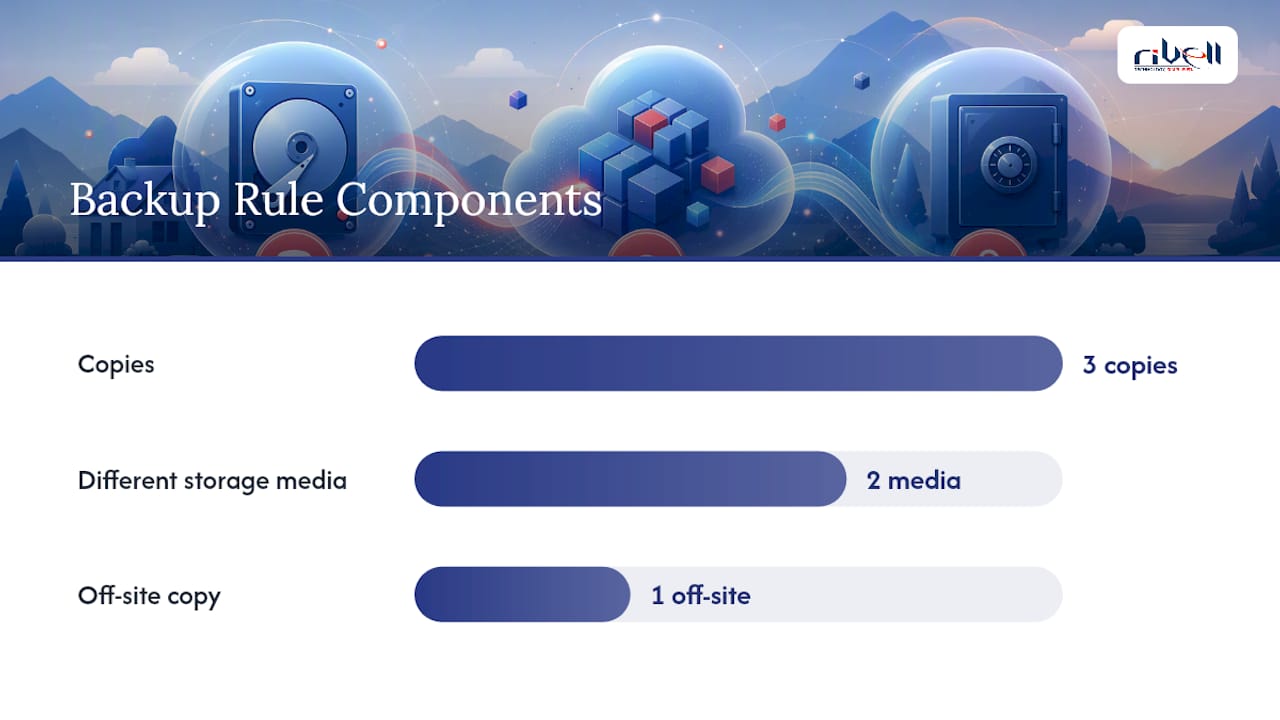
The 2 means two different storage media or platforms. Two backups on two external hard drives sitting on the same desk don’t count. A local NAS paired with a cloud backup does. So does an internal server backup paired with tape.
The 1 means at least one copy lives off-site, physically distant or logically isolated from your main environment. A house fire, a stolen laptop, or a server room flood can’t reach a copy stored in another region or another provider’s data center.
- A freelancer: laptop (original) + Time Machine or File History backup on an external drive (media 2) + Backblaze cloud backup (off-site).
- A ten-person office: file server (original) + on-site NAS snapshot (media 2) + Veeam-managed backup replicated to a cloud target (off-site).
How Do You Set Up a 3-2-1 Backup Strategy?
The right setup depends on how much data you have, how fast you need it back, and what you’re willing to spend — see this guide on examples of data backup methods for practical backup options. Here are three patterns that cover most individuals and small businesses.
- Home or single-user setup. Primary data lives on your laptop or desktop. Back it up locally with built-in tools like Windows File History or macOS Time Machine to an external drive, then add a cloud backup service like Backblaze for the off-site copy. Run it daily and automatically; there’s no reason to think about it once it’s configured.
- Small business, mixed on-prem and cloud. A file server or NAS holds daily working data. A second on-site device (a separate NAS or backup appliance) takes nightly snapshots, and a cloud replication job, often managed through a platform like Veeam, pushes an encrypted copy off-site on a schedule matched to how often the data changes.
- SMB with servers and SaaS workloads. This is where things get more complex. You’re backing up not just servers but Microsoft 365 mailboxes, SharePoint files, and possibly a CRM or accounting SaaS tool. Native cloud retention isn’t a backup; it’s a recycle bin with a deadline. You need a dedicated backup layer for SaaS data, replicated to a separate account or provider from your primary cloud tenant.
Cadence should track how much you can afford to lose. A busy e-commerce operation processing orders all day needs backups every few hours, or continuous replication. A solo consultant updating a handful of documents weekly can get by with nightly backups and a longer retention window. This is the basic idea behind recovery point objective (RPO): how much data, measured in time, you’re willing to lose in a worst-case scenario.
Built-in OS tools are free and fine for a starting point, but they lack the reporting and alerting a business needs to know backups didn’t silently fail. Dedicated backup software or a managed service closes that gap. And a quick warning: cloud sync tools like Dropbox or OneDrive are not backups. They mirror changes, including a ransomware encryption event, straight to your “backup.”
Pro Tip: Use different login credentials for your off-site backup account than you use anywhere else on your network. If ransomware steals your domain admin password, it should not also unlock your backup storage.
Is the 3-2-1 Rule Still Enough Against Ransomware?
Not on its own, and that’s the honest answer more vendors should give. Ransomware operators now actively hunt for connected backup systems before they trigger encryption, specifically because they know 3-2-1 is common practice. If your off-site copy sits in the same administrative domain, same credentials, or same cloud tenant as your production environment, an attacker who compromises one can often compromise both.
That’s why the security community has extended the model to 3-2-1-1-0:
- The extra 1 means one copy is immutable, offline, or air-gapped, unreachable by anything running on your live network.
- The 0 means zero errors on restore, verified through regular, documented testing.
Offline, encrypted backups that resist tampering are one of the strongest defenses against ransomware, according to CISA’s ransomware guide, precisely because malware searching your network for backups to encrypt can’t reach a copy that isn’t connected.
In practice, this looks like immutable object storage (cloud storage configured so files can’t be altered or deleted for a set retention window), a tape copy stored in a vault, or an air-gapped snapshot on a device disconnected after each backup job. For businesses running Microsoft 365 or Google Workspace, it also means backing up to a completely separate cloud account, not just a different folder in the same tenant, since meaningful separation for SaaS data requires cross-cloud or administrative isolation. This is exactly the kind of layered configuration a managed IT provider typically automates and monitors, rather than something owners configure once and forget.
Which Backup Media Should You Actually Use?
Every storage option trades off durability, cost, speed, and resistance to ransomware differently, and the right mix usually blends two or three.
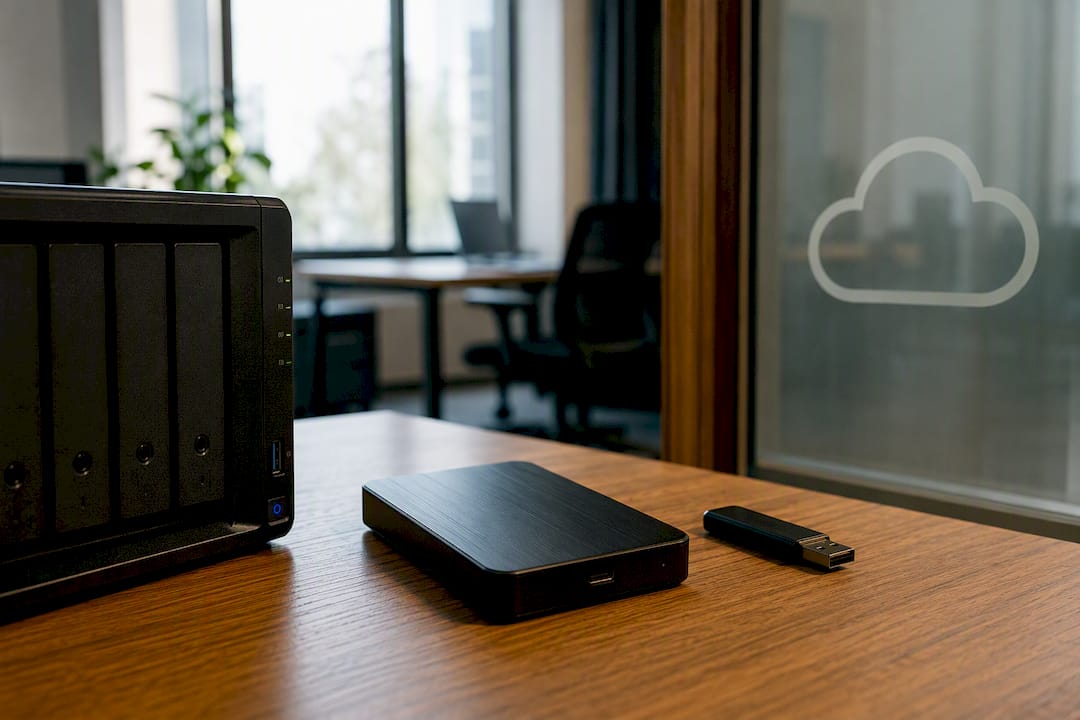
Local external drives are cheap and fast for restores, but they’re vulnerable to theft, fire, and ransomware if left connected. Good as one leg of the stool, never the whole thing.
NAS devices offer more capacity and often built-in snapshot features, useful for quick file recovery. They still live on your network, though, so they need the same access controls as your servers, and a compromised admin account can reach them.
Tape looks old-fashioned, but cold storage that’s physically removed from a drive after backup is genuinely air-gapped. It’s slower to restore from and requires more manual handling, which is exactly why it resists ransomware so well.
Cloud object storage scales easily and typically includes off-site distance by default. Restore speed depends on your internet connection and how much data you’re pulling back, and cost climbs with volume and retention length.
- Durability: tape and cloud storage with geographic replication tend to outlast a single local disk.
- Cost per GB: local drives win upfront; cloud costs accumulate over time, especially with long retention.
- Restore speed: local media wins for small, fast restores; cloud can be slower for large data sets unless you pay for expedited retrieval.
- Immutability: available on many cloud platforms and tape; harder to enforce on a standard external drive.
In cloud environments, “two media” increasingly means two separate accounts or providers, not two folders in the same subscription. Storing your primary data and your backup in the same Microsoft 365 tenant isn’t real separation.
Pro Tip: A second cloud storage account under different billing and login credentials often costs less than a tape setup and still delivers meaningful administrative isolation.
How Do You Protect Backups from Ransomware?
Ransomware doesn’t just encrypt your live files anymore. Modern strains actively search connected drives, mapped network shares, and cloud sync folders for backups to destroy first, removing your recovery option before demanding payment.
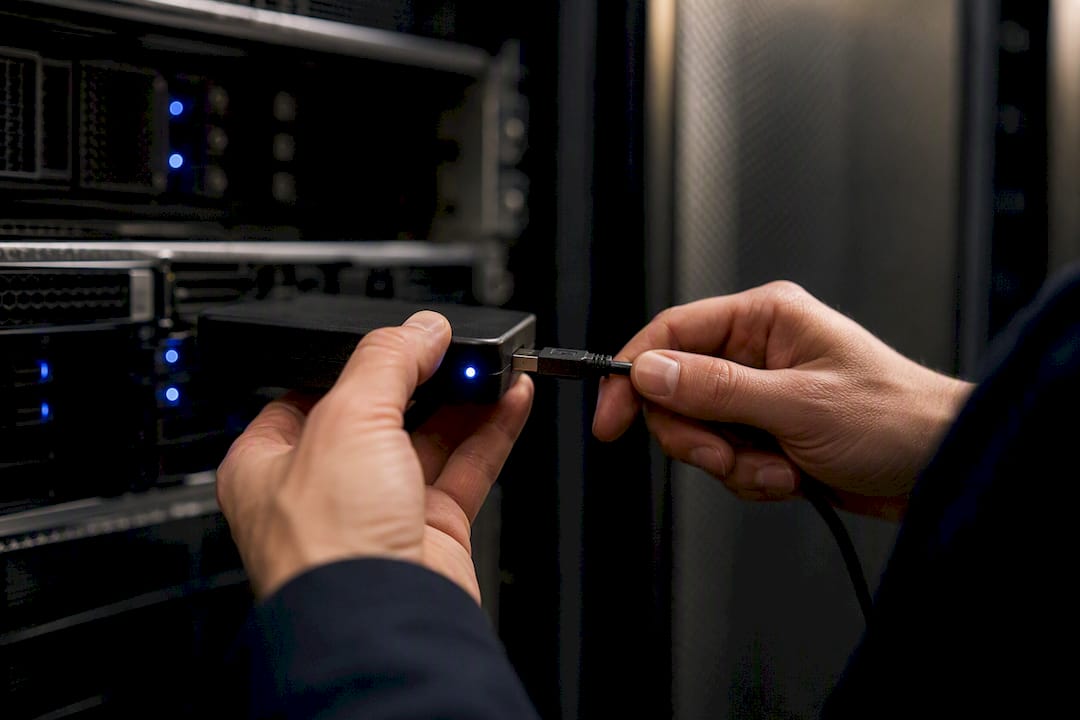
Immutability is the strongest defense available, since a write-once, read-many storage configuration means even an attacker with valid credentials can’t alter or delete the backup during its retention window. Simple replication doesn’t offer this protection; if the source is encrypted, the replica often gets encrypted too.
Encrypt backups both at rest and in transit, and manage the encryption keys separately from your main network credentials. Use separate login accounts for backup systems distinct from general network admin access.
CISA’s ransomware guide recommends maintaining offline, encrypted backups and testing their integrity regularly, since a backup an attacker can reach and encrypt provides no real protection at all.
- Enable immutable or write-once storage wherever your backup platform supports it.
- Rotate backup account credentials on a separate schedule from network passwords.
- Keep at least one offline or air-gapped copy that no live system can reach automatically.
How Do You Test That Your Backups Will Actually Work?
A backup nobody has ever restored is a guess, not a plan. Two numbers should drive your testing schedule: recovery time objective (RTO), how quickly you need systems back online, and recovery point objective (RPO), how much data you can afford to lose. NIST’s guidance on data integrity stresses that backup cadence has to match how fast your business generates new, critical data, or the gap between backups becomes an unacceptable loss window.
A basic restore-test routine looks like this:
- Run a full restore to a non-production environment at least quarterly.
- Spot-check individual files monthly to confirm they open correctly and aren’t corrupted.
- Perform a full boot test on system image backups twice a year to confirm the machine actually starts.
- Log every test with date, outcome, and time taken, so you have a real RTO figure instead of a guess.
Where possible, automate verification checks (checksum comparisons, hash validation) so integrity gets confirmed without manual effort, saving full restores for periodic drills. CISA notes that backup plans only prove their worth when teams can perform full restores reliably, not just when the backup job reports “success.”
Pro Tip: Write a one-page restore runbook and walk a second employee through it once a year. The person who configured the backup system isn’t always the person available during an actual outage.
For a deeper walkthrough of validating your recovery plan, see this guide on verifying disaster recovery plan effectiveness.
What Should You Do This Week to Get Started?
- Identify your critical data (30 to 60 minutes). List what you truly can’t afford to lose: financial records, client files, source code, email.
- Pick a primary backup method (1 to 2 hours). Set up automated local backup using built-in OS tools or a dedicated backup application.
- Add an off-site copy (1 to 2 hours). Configure a cloud backup service, scheduled to run automatically overnight.
- Enable immutability or an offline copy (a weekend project). Turn on immutable storage settings if your provider offers them, or add a rotating offline drive you disconnect after each backup.
- Run an initial restore test (1 hour). Restore a handful of files to confirm the whole chain actually works before you need it to.
Individuals and cash-strapped small businesses can get most of this done with free OS tools and one paid cloud subscription. The immutable or offline step is the one worth budgeting for first once the basics are running.
When Should You Bring in a Managed IT Provider?
Some signals mean it’s time to stop managing backups solo: no dedicated IT staff to monitor jobs daily, regulated data under HIPAA or similar rules, a growing mix of SaaS platforms and identities to cover, or an RTO tight enough that a half-day outage would hurt.
A managed provider typically handles backup architecture design, automated scheduling, immutable off-site storage, scheduled restore verification, and full disaster recovery orchestration, so nothing depends on one person remembering to check a dashboard.
Ready stresses documenting recovery steps before an incident happens, not scrambling to write a plan during one.
Outsourcing shifts the operational burden off your team and onto a provider contractually accountable for verified backups and tested restores, which is a very different footing than hoping a backup job ran last night. Rivell has built this kind of program for healthcare practices, law firms, and regional businesses across managed IT services and disaster recovery for over 25 years.
Author’s Perspective: Practical Priorities for Small Businesses
If you take one thing from this article, prioritize in this order: identify your truly critical data first, add an off-site immutable copy second, and test restores third. Skip the temptation to buy every backup feature available before you’ve nailed those three basics.
Cost and resilience are always in tension, and perfect protection for everything isn’t realistic on a small business budget. Spend where the risk is highest.
One thing gets missed constantly: SaaS and identity data (your Microsoft 365 tenant, your user accounts) need the same 3-2-1 thinking as your servers do. Too many businesses assume the cloud platform handles that for them. It doesn’t.
Rivell’s Managed Backup and Disaster Recovery Services
Configuring one backup job is easy. Keeping it monitored, immutable, tested, and compliant every month, across servers, workstations, and a growing list of SaaS tools, is where most small teams run out of hours in the week. That’s the gap Rivell fills.
Rivell designs and manages 3-2-1-1-0 backup architecture for businesses across New Jersey: automated local and cloud backups, immutable off-site copies, and scheduled restore testing with documented results, not just a green checkmark on a dashboard. Clients in healthcare, legal, and professional services rely on this for both disaster recovery and compliance evidence during audits. Typical outcomes include shorter recovery windows, restore tests that actually happened instead of being assumed, and one accountable partner instead of a patchwork of tools nobody monitors.
If your current backup plan is a hope rather than a tested process, start with a review of managed IT services for small business and get a straight answer on where your gaps are.
Sources
- Back up business data | CISA
- Data Integrity: Identifying and Protecting Assets Against Ransomware and Other Destructive Events (NIST SP 1800-25)
- Ready
